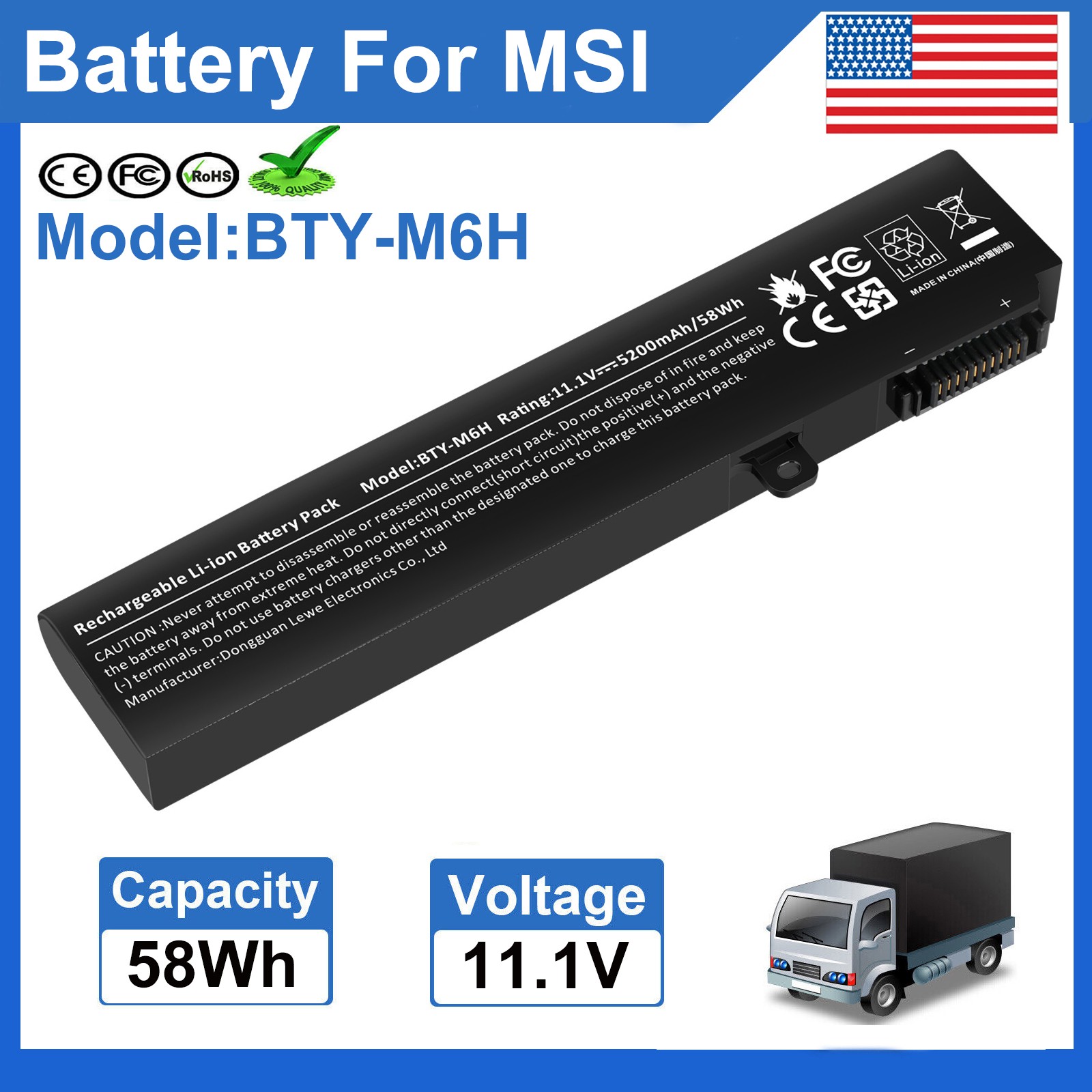
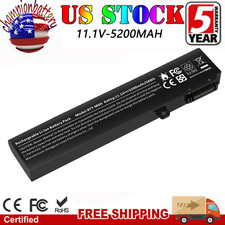
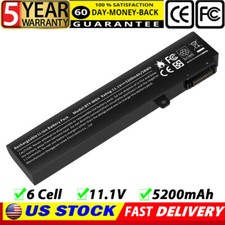
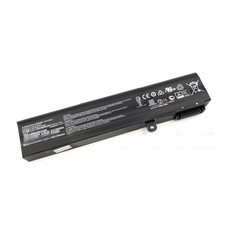
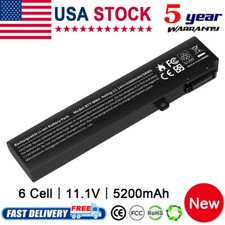
✅BTY-M6H Laptop Battery for MSI GE62 GE63 GE72 GP62 GP72 GL62 GL72 GP63 GE75 NEW
Warm Tips: For first use, please discharge the battery to 5%(not to 0%) and then charge to 95%, and cycle 3-4 times.
Specification:
Condition: Brand New , 'A' grade cells, 100% Compatible!
Model: BTY-M6H
Battery type: Li-ion;
Voltage: 11.1V
Capacity: 58Wh
Cells:6 Cells
Package including: 1× Battery (in packing box)
Certification: CE FCC RoHS
Color: as pictures
Offer 100% Satisfied Customers Service
Replace Part Numbers:
BTY-M6H 3ICR19/65-2 3ICR19/66-2 MS-16J1 MS-16J2
Compatible Models:
For MSI GE62 Series: 6QC-490XCN, 6QF-203XCN, 6QD-1077XCN, 2QC-264XCN, 2QD-007XCN, 6QC-867XCN, 6QC-489XCN, 2QE-052CN, 2QD-647XCN, 2QF-255XCN,6QF-202XCN, 6QF-013XCN, 6QF-057XCN, 2QC-648XCN, 2QE-216XCN, 2QE-053XCN, 6QD-060XCN, 2QD-059XCN, 6QD-237XCN, 6QD-026XCN
For MSI GE62VR Series: GE62VR, 7RF-672CN, GE62VR 6RF-078CN, GE62VR 6RF-010CN
For MSI GE62MVR Series: GE62MVR 7RG-001CN
For MSI GE63 Series: GE63 RAIDER RGB 8RF
For MSI GE72 Series: 6QF-073XCN, 6QC-287XCN, 6QD-001XCN, 2QE-039CN, 2QC-257XCN, 6QC-289XCN, 6QD-843CN, 2QD-059XCN, 6QF-020XCN, 2QD-018XCN, 2QE-040XCN, 2QF-258XCN
For MSI GE72VR Series: GE72VR 6RF-090CN, GE72VR 6RF-013CN, GP72VR 7RF-297CN
For MSI GE72MVR Series: GE72 MVR 7RG-039CN
For MSI GP62 Series: 2QE-215XCN, 6QG-1071XCN, 2QE-218XCN, 6QG-1281CN, 6QF-1462CN, 2QE-275XCN, 6RF-215CN
For MSI GP62VR Series: GP62 6QG-1281CN
For MSI GP62MVR Series: GP62MVR 7RFX-844CN, GP62MVR 7RF-433CN, GP62MVR 6RF-215CN
For MSI GP72 Series: 7REX-445CN
For MSI GP72VR Series: GP72VR 7RF-297CN, GP72VR 6RF-242CN
For MSI GP72MVR Series: GP72MVR 7RFX-621CN
For MSI GL62 Series: 6QD-021XCN, 6QF-626XCN, 6QD-251XCN
For MSI GL62-6QC Series
For MSI GL62M Series: GL62M 7RD-224CN, GL62M 7RD-223CN, GL62M 7RD-412CN, GL62M 7RD-602CN
For MSI GL62VR Series: GL62VR 7RFX-848CN
For MSI GL63 9SDK MS-16P7
For MSI GL72 Series: 6QF-404XCN, 7RDX-623CN, 6QF-493XCN
For MSI GL72MSeries: GL72M 7RDX-684CN, GL72M 7REX-817CN
For MSI PE60 Series: 6QE-491XCN, 6QE-238XCN, 2QE-044XCN
For MSI PE70 Series: 2QE-049XCN
MS-1792 MS-1795 MS-16J1 MS-16J2 MS-16J3 MS-16J4 MS-16J5 MS-16J6 MS-16GF
How to confirm that the battery is suitable for your laptop?
Method 1: Use System Information to find your laptop model
Step 1: Press Windows + R to open Run window.
Step 2: Input "msinfo32" in the empty box and click OK to open System Information.
Step 3: Keep in the System Summary section, and you will find the System Model item in the right pane.
Method 2: Remove Battery from Laptop to find your laptop battery part number
Step 1: Switch off the laptop and unplug the power cable in case of electric shock
Step 2: Remove the back panel with the screwdriver. You should to this with care avoiding any harm to the laptop components.
Step 3: Disconnect the cable connected to the battery and then take out the battery. After that, you can check the specifications of your battery.
Install A New Battery:
- You need to turn off your laptop and disconnect the power.
- Disconnect the connection between the old battery and the motherboard to avoid unnecessary damage caused by disassembling the battery. Then unscrew the old battery screws one by one and carefully save each screw.
- Remove the old battery, carefully install the new battery on the battery case, screw in the screw, and connect the wiring of the new battery.
- If you don't understand the above steps, you can search for the video about laptop battery installation on YouTube. Maybe it will help you
Laptop Battery Instructions:
- Discharge the new battery to 10% (not 0%), then charge(100%) and cycle 3-5 times to wake up the new battery.
- It can calibrate the state of the battery by performing a complete and effective charging and discharging of the battery once a month.
- Charge it to around 50% when you store it long term.
- Do not keep your battery below 5% or deep discharge state (long time 0%), may turn on battery protection and cause the battery to fail to charge.
- Please feel welcomed to notify us of any inconvenience or fault in our battery.
The following are troubleshooting methods:
- Turn off the laptop.
- Unplug AC power.
- Remove the battery.
- Replace AC power.
- Turn on laptop,allow OS to boot.
- Once logged into the machine, perform a normal shut down.
- Unplug AC power.
- Replace battery.
PaymentDelivery detailsTerms of salesAbout usWarranty PolicyPayment
We accept payment via PayPal, Visa, Mastercard, Apple Pay, Google Pay etc.
Delivery detailsShipping timeItem locate California and New Jersey of Unites States of America.Usually, delivery time less than 7 days in California. Except holiday, weekend, weather delay etc.Other states in U.S.A, the whole shipping time may be in 7 to 15 working days.Package sent from which above warehouse, according to inventory stock quantity , and post address distance.Through message let us know, if you have shipping time request. Such as send item through other shipments. Before you made payment.Whole shipping time is estimated time, it may be different at actual. Hope get your understanding.1 to 3 days shipmentCurrently, delivery successful in California Only. Other states in U.S.A, it may be later delivery in 3 days. Hope you consider carefully before select this shipment. No freight refund, but providecoupon as remedy.ivery detailsy detailsTerms of salesOrder cancellationAt purchase history , find paid order and send cancel request. Usually, request would be agree in 24 hours.Item sent , request failed. Let seller know your request through message, try decline package , or ask seller send return label, or provide other better solution.Revised addressWe only accept shipping address at PayPal's account, per your and ours account security demand. It is better revised your new address at PayPal account, before you made payment.Bother you send message to us, if you forget revised.It may be our service officer is rest. If you have not received our reply in time, accept our apologies sincerely.ReplacementWe accept 60 days return and refund request, after you get item.You would get a brand new item, or refund full payment, if item is defective.It is better hassle return request through message, and provide photo at message.. We set automatically respond to return request, it may be cause solution is not your and our expected. For example, you want replace item, asked buyer return and refund.ExchangeSend message to us, it is better provide photo at message. you would get correct item finally, get return label after exchange, bother you help us return this wrong item.About usWe are a store, mainly run laptop accessory. Such as battery , ac adapter etc.All item passed FCC / CE / ROHS certificates. Help buyer reduce the risk of damage, fire, dangerours mostly.We work with a good quality OEM supplier and factory. Help you and us save money greatly.Warranty PolicyAbout Warranty- You don't need to pay for for getting covered by our warranty policy.- There is a warranty label on our products like batteries and adapter chargers, please keep it safe and sealed.- We don't cover the failure or damage caused by misuse, accident, modification, inappropriate physical or operating environment, natural disaster, power surge, and improper maintenance or storage.- If you misuse the Return Policy, our warranty to your purchase will be revoked.- Please contact us via message if you have any problem and please allow us 24 hours to reply, we will do our best to help you solve it.
On Sep 15, 2026 at 19:34:00 PDT, seller added the following information: