Picture For Reference Purpose Only. Item Discription : • 240-Pin DDR2 Low-Density Desktop Memory • Original Chips,Double-Sided • 240Pins,Desktop Memory • Dual Channel Support • 1.8V,CL6 • superior quality and best price • Unbuffered, Non-ECC, Non-Registered The Dell Optiplex 755 Desktop Computer takes theDDR2 PC2-5300 667MHz, PC2-6400 800MHz DIMMmemory type, and comes installed with 512MB memory. Computer Accessories
Best Computer accessories store
8GB 4x2GB PC2-6400U DDR2 800mhz RAM For Dell OptiPlex 755 760 960 XPS 410 420 AB
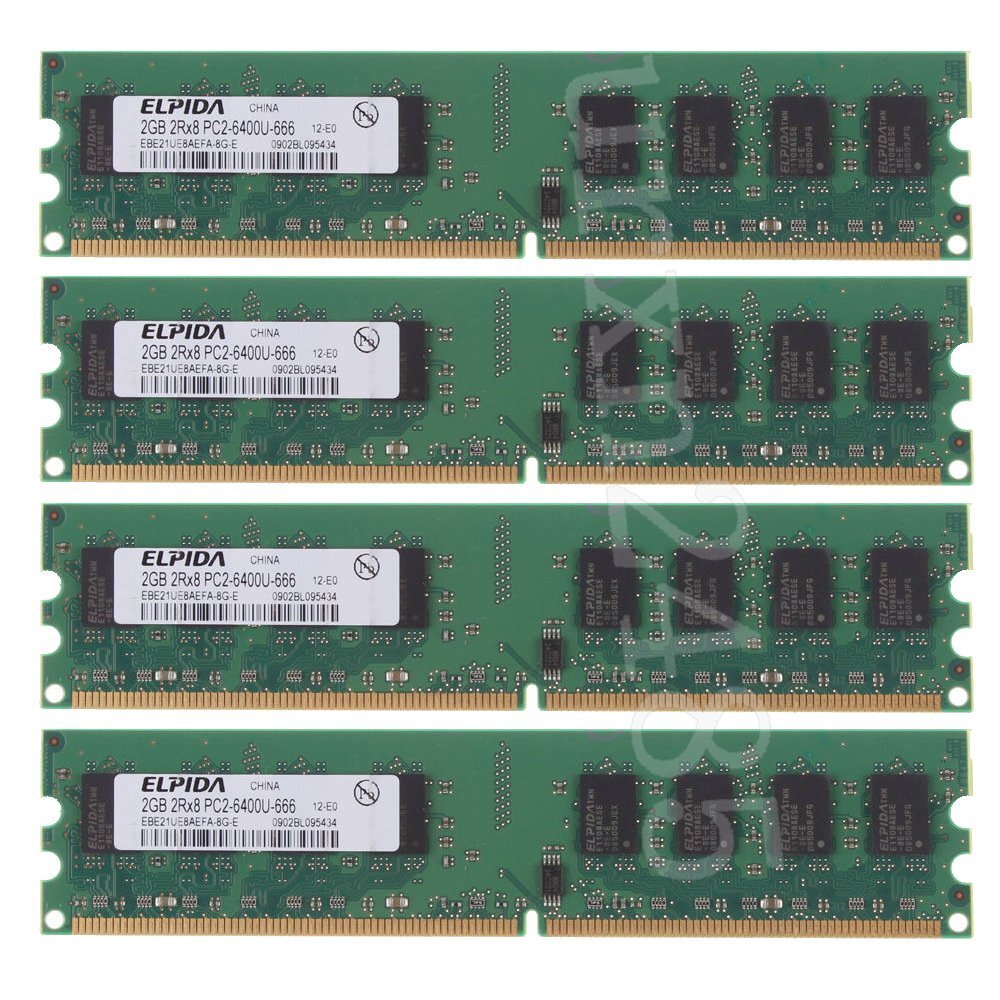
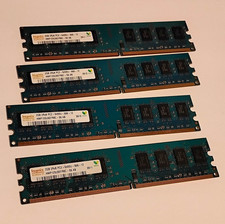
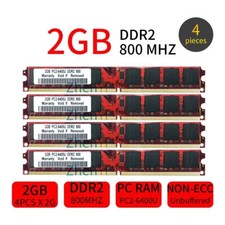
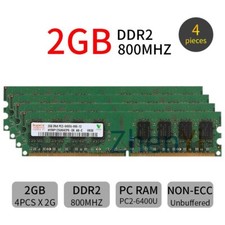
Picture For Reference Purpose Only.
Item Discription :
• 240-Pin DDR2 Low-Density Desktop Memory
• Original Chips,Double-Sided
• 240Pins,Desktop Memory
• Dual Channel Support
• 1.8V,CL6
• superior quality and best price
• Unbuffered, Non-ECC, Non-Registered
The Dell Optiplex 755 Desktop Computer takes theDDR2 PC2-5300 667MHz, PC2-6400 800MHz DIMMmemory type, and comes installed with 512MB memory.
How much memory does the Dell Optiplex 755 Desktop Computer take?
You can upgrade your Dell Optiplex 755 Desktop Computer to up to a maximum memory capacity of8GB Memory.
How many total memory slots to install memory?
The Computer has4 socketsto install memory, already with 512MB standard memory installed. For best Optiplex 755 Desktop Computer performance use the maximum amount of 8GB, fill all the slots with the max allowed memory per slot for your Computer.
The Dell OptiPlex 760 Computer takes thePC2-6400 DDR2-800 240pin SDRAM DIMMmemory type, and comes installed with 0MB memory.
How much memory does the Dell OptiPlex 760 Computer take?
You can upgrade your Dell OptiPlex 760 Computer to up to a maximum memory capacity of8GB Memory.
How many total memory slots to install memory?
The Computer has4 (4 banks of 1)to install memory, already with 0MB standard memory installed. For best OptiPlex 760 Computer performance use the maximum amount of 8GB, fill all the slots with the max allowed memory per slot for your Computer.
The Dell OptiPlex 960 Computer takes thePC2-6400 DDR2-800 240pin SDRAM DIMMmemory type, and comes installed with 0MB memory.
How much memory does the Dell OptiPlex 960 Computer take?
You can upgrade your Dell OptiPlex 960 Computer to up to a maximum memory capacity of8GB Memory.
How many total memory slots to install memory?
The Computer has4 (4 banks of 1)to install memory, already with 0MB standard memory installed. For best OptiPlex 960 Computer performance use the maximum amount of 8GB, fill all the slots with the max allowed memory per slot for your Computer.
The Dell XPS 410 Computer takes theDDR2 PC2-5300 667MHz, PC2-6400 800MHz Non-ECC DIMMmemory type, and comes installed with 1GB memory.
How much memory does the Dell XPS 410 Computer take?
You can upgrade your Dell XPS 410 Computer to up to a maximum memory capacity of8GB Memory.
How many total memory slots to install memory?
The Computer has4 Slotsto install memory, already with 1GB standard memory installed. For best XPS 410 Computer performance use the maximum amount of 8GB, fill all the slots with the max allowed memory per slot for your Computer.
The Dell XPS 420 Computer takes thePC2-5300/6400 DDR2 SDRAM DIMMs. Supports Dual Channel DDR2memory type, and comes installed with 1.0 GB = 512 MB (removable) + 512 MB (removable) memory.
How much memory does the Dell XPS 420 Computer take?
You can upgrade your Dell XPS 420 Computer to up to a maximum memory capacity of8.0 GB Memory.
How many total memory slots to install memory?
The Computer has4 socketsto install memory, already with 1.0 GB = 512 MB (removable) + 512 MB (removable) standard memory installed. For best XPS 420 Computer performance use the maximum amount of 8.0 GB, fill all the slots with the max allowed memory per slot for your Computer.
Packet Content :
? 8GB 4x 2GB 800Mhz PC Computer memory
Item Specifics Buffering/Ecc Unbuffered / Non ECC Form Factor DIMM Brand Elpida MPN Does Not Apply Number of Pins 240Pin Bus Speed PC2-6400 (DDR2-800) Total Capacity 8GB Number of Modules 4 PCS Capacity per Module 2GB Warranty Lifetime Warranty Frequency 800MHz Fit for Desktop PC Computer Voltage 1.8V Class DDR2 Packet Content 4x 2GB 800MHz pc memory For Elpida The value of CL CL6 Function Upgrade Desktop Memory Type DDR2 SDRAM Memory Features Desktop Memory Model PC2-6400 Country/Region of Manufacture China Bundle Description Bubble film Custom Bundle No
Shipping
- Items will be sent as soon as possible after receiving cleared payment.(Saturday and Sunday & Public holiday excluded)
- We only ship the item to your Paypal address for fast and accurate shipment. If you want to change the address, please add a note when you make the payment after you have paid.
- We are not responsible for undeliverable address. We reserve the right to charge the shipping fee again for returned items due to wrong address supplied by buyer. Any non-received items caused by invalid address registered on PayPal are not in our full refund or replacement policy.
Returns
Return is accepted within 60 days after the buyer's receiving the item.
If this item is defective upon receipt, customer has up to 60 days from date of receipt for exchange of a new one.
Contact Us
Customer satisfaction is very important to us and our response rating reflects this satisfaction
We try our best to reply to your emails as soon as possible, however, due to high volume of daily incoming emails and time zone difference, we may not be able to reply your emails immediately.
Please give us the opportunity to resolve any problem. We understand the concerns and frustrations you might have, and will try our best to resolve the issues.
Please email us before leaving any negative response or open any dispute on PayPal.
We care about our valued customers, and will always try to help you. So if you have any problems, please e-mail us immediately.
Please Do Not leave us the negative or natural response and comment.It will be affected with our account.
Working Time:
Mon-Fri 9:00-19:00 GMT+8
Sat-Sun 12:00-18:00 GMT+8
[ Contact Us: This is the contents of your Contact Us. You can add a banner for this Contact Us as header and add text descriptions here. The text descriptions can be different Font Size, Font Color, Style and even graphics and icons are also accepted. ]
Computer Accessories
Best Computer accessories store
DESCRIPTION PAYMENT SHIPPING RETURN POLICY CONTACT US Shop Category Store Home Other Hot Item 4GB 4x 1GB DDR 400MHz PC 3200 184Pin Desktop Memory PC2700 2100 333 266mhz AB USD 19.99 8GB 4x2GB PC2-6400U DDR2 800mhz RAM For Dell OptiPlex 755 760 960 XPS 410 420 AB USD 19.99 Corsair Pro Series 32GB 16GB 8GB 4G DDR3 OC 2400MHz PC3-19200U Memory RAM LOT AB USD 22.99 Kingston 1-10PCS 1GB DDR 333Mhz PC2700 200Pin SODIMM Laptop Memory SDRAM LOT AB USD 15.99 Hynix 4GB 2x 2GB / 1GB PC2-5300U DDR2 667MHz 240Pin DIMM Desktop Memory RAM AB USD 4.99 Delivery
New List Item Corsair Vengeance 32GB 4x 8GB DDR3 1600MHz CL10 PC3-12800U PC DIMM Memory RAM AB USD 33.99 Corsair Vengeance Pro 16GB Kit 2x8GB DDR3 OC 2133MHz DIMM Desktop Memory Blue AB USD 28.99 G.Skill Ripjaws X 16GB 2x 8GB DDR3 OC 2133MHz PC3-17000U DIMM Desktop Memory AB USD 29.99 HVAC Key Muti-Tool for 410A & R22 Locking Caps On AC Units Tool 86698 AB USD 13.75 Corsair 16GB 2x 8GB DDR3 1600MHz PC3-12800U 240Pin PC Desktop Memory SDRAM AB USD 19.99 Help & Info Payment Policy Shipping Policy Return Policy FAQ About Us 8GB 4x2GB PC2-6400U DDR2 800mhz RAM For Dell OptiPlex 755 760 960 XPS 410 420 AB
Picture For Reference Purpose Only.
Item Discription :
• 240-Pin DDR2 Low-Density Desktop Memory
• Original Chips,Double-Sided
• 240Pins,Desktop Memory
• Dual Channel Support
• 1.8V,CL6
• superior quality and best price
• Unbuffered, Non-ECC, Non-Registered
The Dell Optiplex 755 Desktop Computer takes theDDR2 PC2-5300 667MHz, PC2-6400 800MHz DIMMmemory type, and comes installed with 512MB memory.
How much memory does the Dell Optiplex 755 Desktop Computer take?
You can upgrade your Dell Optiplex 755 Desktop Computer to up to a maximum memory capacity of8GB Memory.
How many total memory slots to install memory?
The Computer has4 socketsto install memory, already with 512MB standard memory installed. For best Optiplex 755 Desktop Computer performance use the maximum amount of 8GB, fill all the slots with the max allowed memory per slot for your Computer.
The Dell OptiPlex 760 Computer takes thePC2-6400 DDR2-800 240pin SDRAM DIMMmemory type, and comes installed with 0MB memory.
How much memory does the Dell OptiPlex 760 Computer take?
You can upgrade your Dell OptiPlex 760 Computer to up to a maximum memory capacity of8GB Memory.
How many total memory slots to install memory?
The Computer has4 (4 banks of 1)to install memory, already with 0MB standard memory installed. For best OptiPlex 760 Computer performance use the maximum amount of 8GB, fill all the slots with the max allowed memory per slot for your Computer.
The Dell OptiPlex 960 Computer takes thePC2-6400 DDR2-800 240pin SDRAM DIMMmemory type, and comes installed with 0MB memory.
How much memory does the Dell OptiPlex 960 Computer take?
You can upgrade your Dell OptiPlex 960 Computer to up to a maximum memory capacity of8GB Memory.
How many total memory slots to install memory?
The Computer has4 (4 banks of 1)to install memory, already with 0MB standard memory installed. For best OptiPlex 960 Computer performance use the maximum amount of 8GB, fill all the slots with the max allowed memory per slot for your Computer.
The Dell XPS 410 Computer takes theDDR2 PC2-5300 667MHz, PC2-6400 800MHz Non-ECC DIMMmemory type, and comes installed with 1GB memory.
How much memory does the Dell XPS 410 Computer take?
You can upgrade your Dell XPS 410 Computer to up to a maximum memory capacity of8GB Memory.
How many total memory slots to install memory?
The Computer has4 Slotsto install memory, already with 1GB standard memory installed. For best XPS 410 Computer performance use the maximum amount of 8GB, fill all the slots with the max allowed memory per slot for your Computer.
The Dell XPS 420 Computer takes thePC2-5300/6400 DDR2 SDRAM DIMMs. Supports Dual Channel DDR2memory type, and comes installed with 1.0 GB = 512 MB (removable) + 512 MB (removable) memory.
How much memory does the Dell XPS 420 Computer take?
You can upgrade your Dell XPS 420 Computer to up to a maximum memory capacity of8.0 GB Memory.
How many total memory slots to install memory?
The Computer has4 socketsto install memory, already with 1.0 GB = 512 MB (removable) + 512 MB (removable) standard memory installed. For best XPS 420 Computer performance use the maximum amount of 8.0 GB, fill all the slots with the max allowed memory per slot for your Computer.
Packet Content :
? 8GB 4x 2GB 800Mhz PC Computer memory
ShippingReturnsContact Us
- Items will be sent as soon as possible after receiving cleared payment.(Saturday and Sunday & Public holiday excluded)
- We only ship the item to your Paypal address for fast and accurate shipment. If you want to change the address, please add a note when you make the payment after you have paid.
- We are not responsible for undeliverable address. We reserve the right to charge the shipping fee again for returned items due to wrong address supplied by buyer. Any non-received items caused by invalid address registered on PayPal are not in our full refund or replacement policy.
Return is accepted within 60 days after the buyer's receiving the item.
If this item is defective upon receipt, customer has up to 60 days from date of receipt for exchange of a new one.
Customer satisfaction is very important to us and our response rating reflects this satisfaction
We try our best to reply to your emails as soon as possible, however, due to high volume of daily incoming emails and time zone difference, we may not be able to reply your emails immediately.
Please give us the opportunity to resolve any problem. We understand the concerns and frustrations you might have, and will try our best to resolve the issues.
Please email us before leaving any negative response or open any dispute on PayPal.
We care about our valued customers, and will always try to help you. So if you have any problems, please e-mail us immediately.
Please Do Not leave us the negative or natural response and comment.It will be affected with our account.
Working Time:
Mon-Fri 9:00-19:00 GMT+8
Sat-Sun 12:00-18:00 GMT+8
[ Contact Us: This is the contents of your Contact Us. You can add a banner for this Contact Us as header and add text descriptions here. The text descriptions can be different Font Size, Font Color, Style and even graphics and icons are also accepted. ]
All rights reserved.