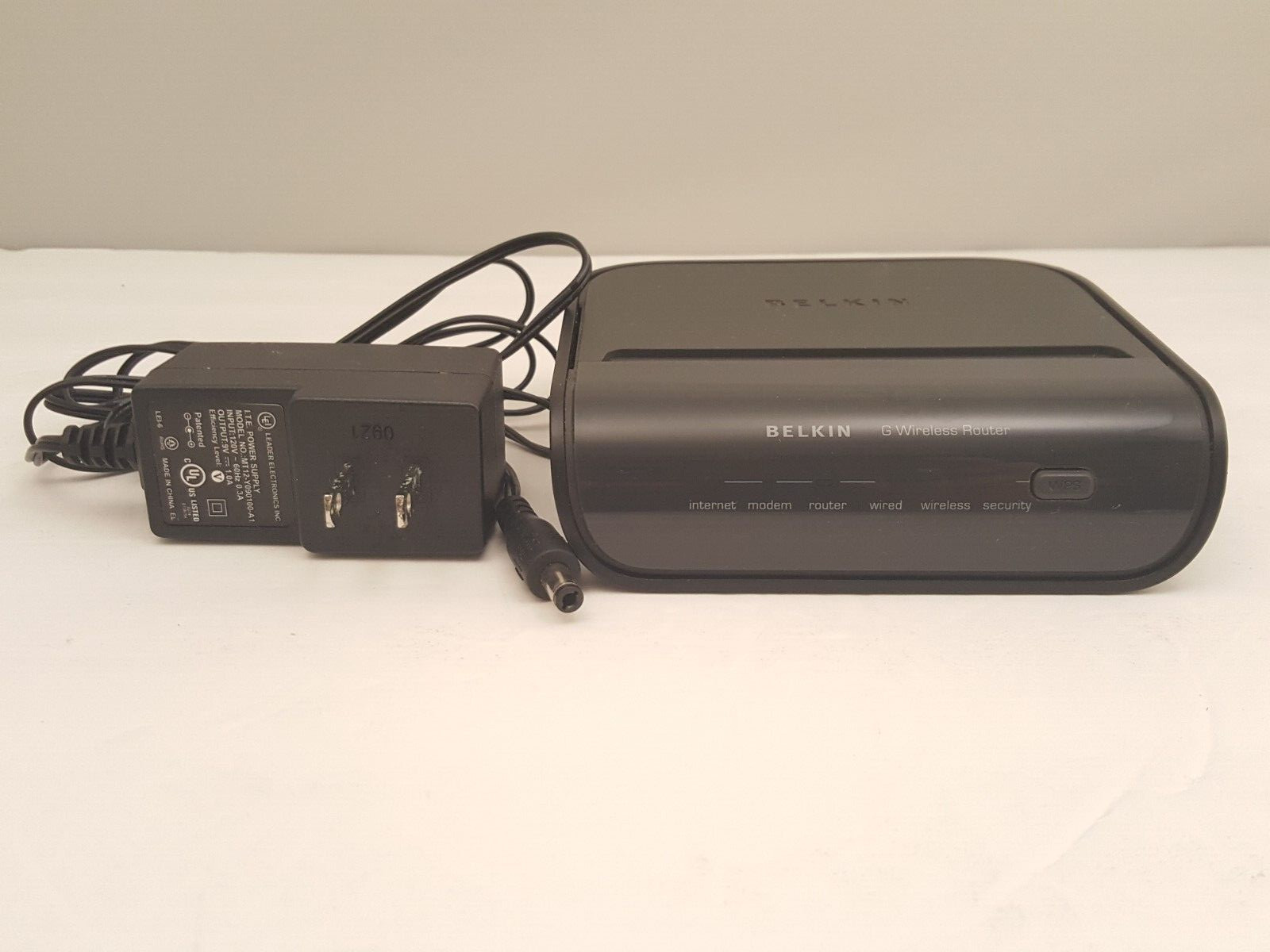
BELKIN G Wireless Router | Model F5D7234-4 v4 | USED | TESTEDAfter years of repairing, tinkering, testing, proof-of-concepts, presentations, & DIY / hobbyist projects, the time has come to downscale and part with some of the equipment that is no longer needed.
** USED ITEM **Item is used, but tested -- see pictures.
Item comes **AS PICTURED** and does NOT include:
- Original Box
- Software CDs or Driver Discs
- Wall Mount Kit
- Cables or Type of Follow-Up Support
This Router's Serial # -> 12924723403241
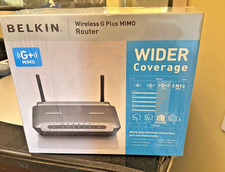
The G Wireless Router is perfect for setting up a simple wireless network that has the range to easily cover a small office or apartment.
Its speeds are ideal for handling basic networking applications such as sharing your high-speed Internet connection with all your computers, surfing the Web, emailing, and instant messaging-all while relaxing on the couch in your home.Connecting the G Wireless Router to your cable or DSL modem lets you share your broadband Internet account with all your home computers.
Now you can quickly and easily share documents, surf the Web, chat with friends, and email.
Our advanced security protects both your wireless and wired computers from hackers and intruders.The G Wireless Router is the central connection point of your wireless network.
Position your Belkin Router in between your cable/DSL modem and your computer to start sharing your broadband Internet access.
PRODUCT FEATURESNetwork Status Display
Lighted LEDs on the front of the Router indicate which functions are in operation.
You’ll know at a glance whether your Router is connected to the Internet.
This feature eliminates the need for advanced software and status-monitoring procedures.Web-Based Advanced User Interface
You can set up the Router’s advanced functions easily through a web browser, without having to install additional software onto the computer.
There are no disks to install or keep track of and, best of all, you can make changes and perform setup functions from any computer on the network quickly and easily.NAT IP Address Sharing
This Router employs Network Address Translation (NAT) to share the single IP address assigned to you by your Internet Service Provider while saving the cost of adding IP addresses to your Internet service account.SPI Firewall
The Router is equipped with a firewall that will protect your network from a wide array of common hacker attacks including IP Spoofing, Land Attack, Ping of Death (PoD), Denial of Service (DoS), IP with zero length, Smurf Attack, TCP Null Scan, SYN flood, UDP flooding, Tear Drop Attack, ICMP defect, RIP defect, and fragment flooding.Integrated 10/100 4-Port Switch
The Router has a built-in, 4-port network switch to allow your wired computers to share printers, data and MP3 files, digital photos, and much more.
The switch features automatic detection so it will adjust to the speed of connected devices.
The switch will transfer data between computers and the Internet simultaneously without interrupting or consuming resources.Universal Plug-and-Play (UPnP) Compatibility
UPnP (Universal Plug-and-Play) is a technology that offers seamless operation of voice messaging, video messaging, games, and other applications that are UPnP-compliant.Support for VPN Pass-Through
If you connect to your office network from home using a VPN connection, your Router will allow your VPN-equipped computer to pass through the Router and to your office network.Built-In Dynamic Host Configuration Protocol [ DHCP ]
Built-In Dynamic Host Configuration Protocol [ DHCP ] on-board makes for the easiest possible connection of a network.
The DHCP server will assign IP addresses to each computer automatically so there is no need for a complicated networking setup.Integrated 802.11g Wireless Access Point
802.11g is a wireless technology that achieves data rates up to 54Mbps, nearly five times faster than 802.11b.MAC Address Filtering
For added security, you can set up a list of MAC addresses (unique client identifiers) that are allowed access to your network.
Every computer has its own MAC address.
Simply enter these MAC addresses into a list using the Web-Based Advanced User Interface and you can control access to your network.Access Point Mode
The Router can be configured to work as a wireless network access point.
Using this mode will defeat the NAT IP sharing feature and DHCP server.
In Access Point (AP) mode, the Router will need to be configured with an IP address that is in the same subnet asthe rest of the network that you will bridge to.
TECHNICAL SPECIFICATIONSWi-Fi Range
Up to Interface Type
Five [ 5 ] RJ45 10/100Mbps [ 4 LAN & 1 WAN ]Firewall
NAT [ Network Address Translation ]
SPI [ Stateful Packet Inspection ]Security Features
WPA™
WPA2™
Wi-Fi Protected Setup™VPN Support
PPTP
IPSec Pass-ThroughNetwork Standards
IEEE 802.11b/802.11g [ WiFi Certified ]ISP Protocols BigpondIP Sharing Method
Network Address Translation [ NAT ]Max. Link Rate
54 MbpsTestingThe router was powered up and Connected to a Smartphone via the wireless channel & a Laptop running Windows 11 via an Ethernet Port -- See Pictures for Screenshots
Item was ** NOT ** christened to our ISP - so no DSL or Internet is presentPicture 1 shows:Fronts of Router & Power AdapterPicture 2 shows:Backs of Router showing Port Array & Power AdapterPicture 3 shows:Left Side of RouterPicture 4 shows:Right Side of RouterPicture 5 shows:Bottom of Router with PIN Code ObfuscatedPicture 6 shows:Top Down Side Angle View of RouterPicture 7 shows:Front of Powered Router with Laptop Connected to Ethernet PortPicture 8 shows:Laptop Screenshot
Router Setup -> Status PagePicture 9 shows:Laptop Screenshot
Router Setup -> LAN Setup -> DHCP Client List Screen Showing Win11 Laptop & Android Smartphone ConnectionsPicture 10 shows:Laptop Screenshot
Router Setup -> Wireless -> Use as Access Point ScreenPicture 11 shows:Laptop Screenshot
Router Setup -> LAN Setup -> LAN Settings ScreenPicture 12 shows:Smartphone Screenshot
Smartphone Connected via Wireless Showing Connection InfoPicture 13 shows:Smartphone Screenshot
outer Setup -> Status Page
Miscellaneous
Information
Non-professionally taken pictures are of the actual item being shipped.Return Policy
This item is being sold *AS IS* and as pictured.** NO RETURNS ACCEPTED ON THIS ITEM **Make certain this is an item you can make use of before offerding.
Payment Method Any Managed Payment MethodPackaging
Item ships in a 6 x 9 x 3 Box
Item has a shipping weight of approximately 13 OZ
Shipping Method
USPS or FedEx Preferred : Most economic and trackable option
Contact seller prior to offerding to discuss alternate shipping methods.Item will USUALLY ship within one business day after payment is received;
GUARANTEED to ship within three business days after payment is received
Our other items ->
Browse Now!
Add us as a Favorite Seller.
We try to add a variety
of new items every week
Click Here to Add Us to your Favorites!