 When you click on links to various merchants on this site and make a purchase, this can result in this site earning a commission. Affiliate programs and affiliations include, but are not limited to, the eBay Partner Network. When you click on links to various merchants on this site and make a purchase, this can result in this site earning a commission. Affiliate programs and affiliations include, but are not limited to, the eBay Partner Network.
- Store
- New Arrivals
- Add to Favorite
- View response
- Contact
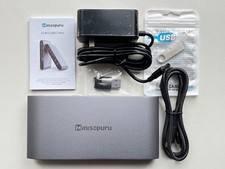
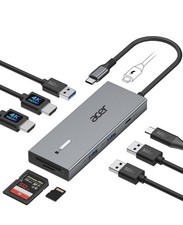
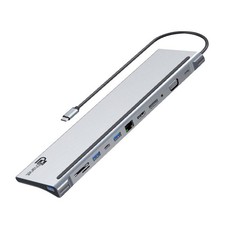
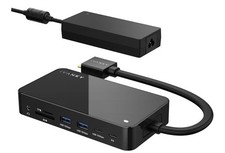
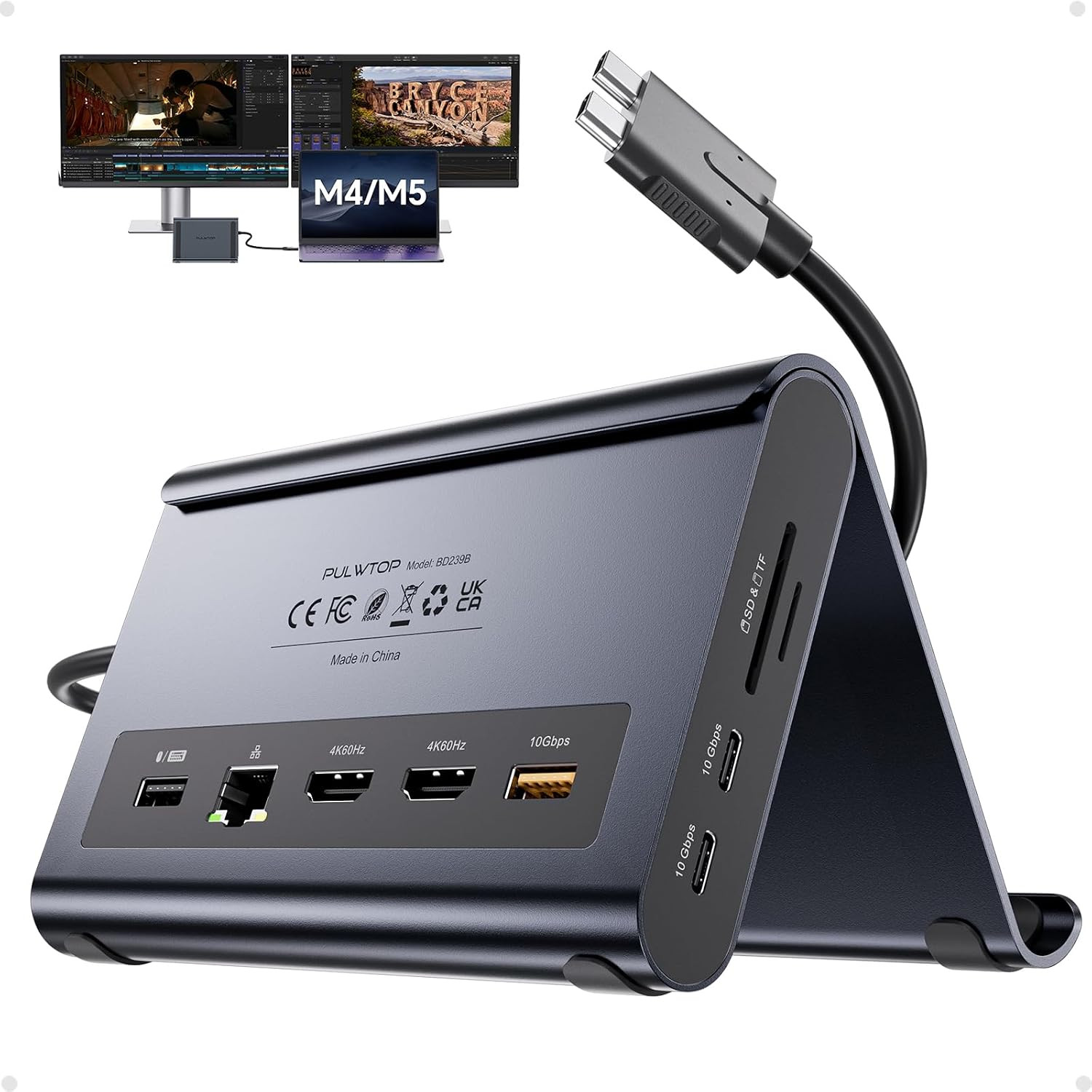
Macbook Docking Station Dual Monitor 4K@60Hz, PD100W, Audio for Home OfficeDescription Hardware Interface 3.5mm Audio, HDMI, USB 2.0, USB 3.2 Gen 2×2 Compatible Devices function(f) {var { function(data) { var isTruncated = !data.truncateInstance.getIfTextFits(); var seeMoreElement = if(seeMoreElement) { seeMoreElement.style.display = isTruncated ? '' : 'none'; } }) });})); MacBook Pro 14''(2026 M5 Pro/M5 MaxChip, 2025 M5 Chip, 2024 M4 chip, M4 Pro or M4 Max chip, 2023 M3 Pro or M3 Max chip, 2023 M2 Pro or M2 Max chip, 2021 M1 Pro or M1 Max chip); MacBook Pro 16'', (2026 M5 Pro/M5 MaxChip, 2024 M4 chip, M4 Pro or M4 Max chip, 2023 M3 Pro or M3 Max chip, 2023 M2 Pro or M2 Max chip, 2021 M1 Pro or M1 Max chip), MacBook Air(13-inch/15-inch, 2025 M4 chip/2026 M5 Chip), MacBook Pro 13'' (2020,2019,2018,2017,2016 Intel chip) MacBook Pro 16'' (2019, Intel chip) MacBook Pro 15'' (2019,2018,2017,2016 Intel chip) MacBook Air (Retina, 13-inch, 2020/2019/2018) Intel chip See more Total Usb Ports 4 Number of Ports 10 Total Number of HDMI Ports 2 Item Dimensions L x W x H 5.4"L x 4.21"W x 3.37"H Item Weight 400 g Color Midnight Number of Items 1 Number of Packs 1 Unit Count 1 Count Item Highlight Vertical Laptop Stand with 2 HDMI, 10Gbps USB-C/A, Ethernet, SD/TF, USB C Dock for MacBook Pro/Air M4/M5 – Midnight Model Number BD239B-Midnight Mfr Part Number BD239B-Midnight Warranty Description 1Year Warranty Total USB Ports 4 Product Dimensions 5.4"L x 4.21"W x 3.37"H Total HDMI Ports 2 Product description PULWTOP 11-in-2 Docking Station for Macbook Pro/Air 1 Touch Shell 2 Detachable Design 3 Interface Introduction 4 Silicone Protection 1 Expansion Mode 2 Mirror Mode 3 Closed Lid Expansion 4 Compatible device 1 Ultra-Speed Data Transfer 2 Power Your Laptop 3 Dual USB C to Host 4 Network & Audio/Mic Specification Product Name PULWTOP MacBook Docking Station Dual 4K60 Monitor for MacBook Pro/Air Input Dual USB-C port 10Gbps Output 2 x 4K@60Hz HDMI, 1 x USB A 10Gbps, 2 x USB C 10Gbps, 1 x USB A 2.0, SD/Micro SD,100 Max PD IN, RJ45 wired Gigabit Ethernet Compatible Devices The Vertical Docking Station Specially Designed for MacBook Pro 14''(2026 M5, 2024 M4, M4 Pro or M4 Max, 2023 M3 Pro or M3 Max, 2023 M2 Pro or M2 Max, 2021 M1 Pro or M1 Max); MacBook Pro 16'',(2024 M4,M4 Pro or M4 Max,2023 M3 Pro or M3 Max,2023 M2 Pro or M2 Max,2021 M1 Pro or M1 Max),MacBook Air(13-inch/15-inch, 2025)M4,MacBook Pro 13'' (2020,2019,2018,2017,2016 Intel) MacBook Pro 16'' (2019, Intel) MacBook Pro 15'' (2019,2018,2017,2016 Intel) MacBook Air (Retina, 13-inch, 2020/2019/2018) Intel Incompatible Devices This Docking Station for Macbook Pro/Air is not compatible with Windows Laptops. For the M1/M2/M3 base chip macbook and macbook neo, it only support single display (AAA or ABB) Mode. Materials Aluminum Package Dimension Approx.173mm x 135mm x 50mm Package Weight Approx. 500g Note 1 Please connect a power adapter (Not included) of 65W or above. Power adapter and power cable is not included. Note 2 Place the laptop on the stand - Please Remove protective case. Note 3 The USB C Port is only for data transfer, not support video or charging. Clamshell Mode Setup 1) Open Terminal (MacBook's Application → Utilities). 2) Type the following command and press Enter: sudo pmset -a disablesleep. 3) Enter your administrator password and press Enter again. 4) Your MacBook is now ready for dual displays with the lid closed. Notes: 1) If the external display doesn't work, restart your MacBook. 2) To revert to default sleep behavior (disable clamshell mode), run: sudo pmset -a disablesleep 0 Cable length 60 cm - 【2-in-1 Macbook Dock & Vertical Stand】This macbook docking station stand combines a macbook air dock with a sturdy laptop stand. Hold your MacBook in the stand, also works as a holder for tablets and phones. The macbook pro dock features 2x 4K@60Hz HDMI, 2x USB-C 10Gbps, 1x USB-A 10Gbps, 1x USB-A 2.0, SD/TF, 3.5mm Audio, and Gigabit Ethernet (RJ45) & 100W PD input (PD adapter not included).
- 【Dual 4K@60Hz for MacBook Pro/Air】This macbook docking station dual monitor delivers stunning 4K@60Hz video output via dual HDMI ports — ideal for video editing, creative workflows. Transform your MacBook into a powerful dual‑monitor workstation for mirroring or extending, enjoy ultra‑smooth visuals and seamless multitasking for your laptop dock.
- 【Precision Compatibility - MacBook Only】This macbook pro docking station dual monitor is precision-engineered for MacBook Pro/Air 2016–2026 (Intel chips,M1 Pro/Max, M2 Pro/Max,M3 Pro/Max, M4 Base Chip,M4 Pro/Max,m5 Base Chip,M5 Pro/Max). ★NOT compatible with M1, M2, or M3 Base chips. Also incompatible with Windows laptops, MacBook Neo, Please verify your model before purchase.
- 【10Gbps Ultra-Fast Data Transfer】This macbook air docking station delivers 2×10Gbps USB-C and 1×10Gbps USB-A (Data Only – no video & charging). Move massive 4K videos, photo libraries, or backups in seconds. Perfect for video editors, designers.usb c docking station dual monitor companion for your MacBook workflows. A dedicated USB-A 2.0 port keeps your mouse and keyboard lag‑free‑smooth precision.
- 【100W PD + Gigabit Ethernet】This macbook pro m5 docking station support Max 100W PD input and 95W output to charge MacBook Pro or Air at full speed – even under Final Cut Pro or dual monitors. Built‑in Gigabit Ethernet ensures lag‑free Zoom calls. No battery anxiety, no Wi‑Fi drops. A true docking station for macbook pro that keeps you productive all day.
- 【Steps of Clamshell Mode】 ① Go to Applications → Utilities and open Terminal. ② Enter the following command and press Enter : sudo pmset -a disablesleep 1 ③ Insert administrator password and press Enter again. Once these steps are completed, you can use dual displays while your MacBook is in clamshell mode (lid closed).✳️ Important Notes: ① If the external display still doesn't show any output after running the command, restart your MacBook. ② To revert to the default sleep behavior (which will disable clamshell mode), run the following command instead: sudo pmset -a disablesleep 0
ABOUT US We offer the best prices around on high quality products. Our E-store includes media such as books, movies, music and games while offering electronics, toys, sporting apparel, clothing, tools, general home, garden items and more. SHIPPING We are always working hard to ensure your package arrives as soon as possible. Please understand that some factors like weather, high postal traffic, and the performance of shipping companies are outside of our control.We offer free shipping to the lower 48 states and ship within 2 business days of payment, usually sooner. RETURNS We offer a 30-Day Return Policy on items which you are not completely satisfied with. You have the option for a full-refund or an exchange of the item. PAYMENT We accept PayPal. CONTACT US This page content is yet to come
Please ad us to your favorite seller and visit again later
Thank You CUSTOMER SATISFACTION We try our very best to make sure every customer is completely satisfied. If there's a problem, message us! We're happy to help.  |
|