About this item
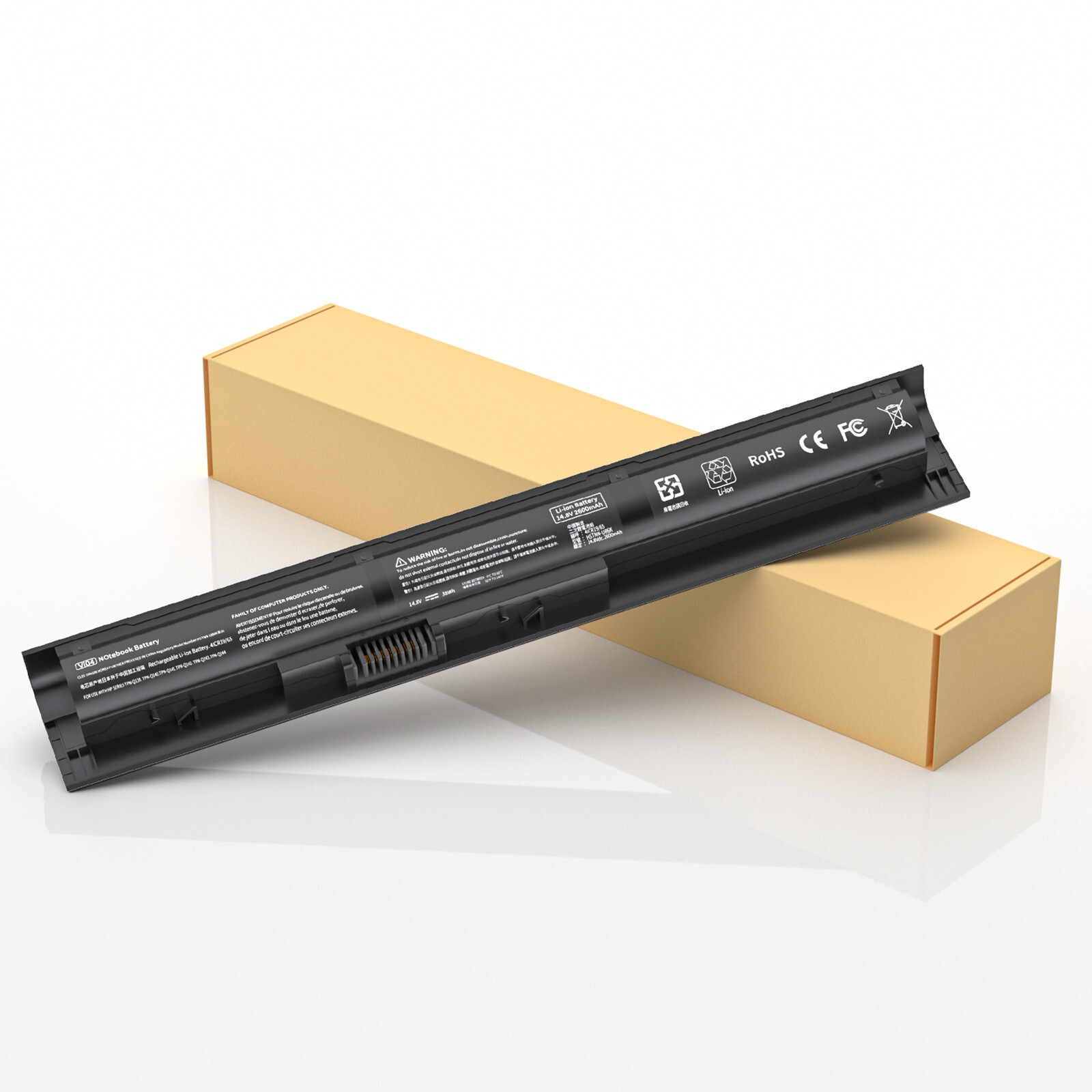
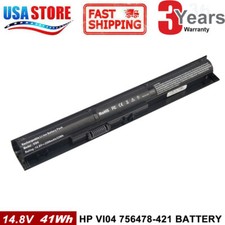
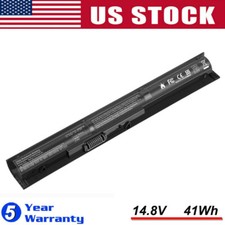
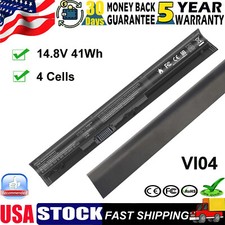
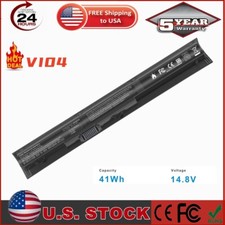
- Compatible Part Number: VI04 battery for HP Spare 756743-001 756478-421 756745-001 756479-421 756478-422 756743001 756745001 VI04 VIO4 VI04048 VI04048-CL HSTNN-DB6K HSTNN-DB6I HSTNN-LB6J HSTNN-LB6K HSTNN-C82C; vi04 laptop battery for HP ProBook 440 G2 ProBook 445 G2 ProBook 450 G2 ProBook 455 G2 Series ENVY M7-K000 m7-k111dx m7-k211dx m7-k200 m7-k010dx
- Compatible Laptop Models: 756743-001 hp battery replacement for HP Envy 14T-U 14-U 15-K 15T-K100 17-K Series for HP Pavilion 14T-V000 14-V 15-P 17-F Series 15-p030nr 15-p213cl 15-p011na 15-p165sa 15-p214dx 15-p003ax 15-p390nr 15-p008au 15-p016au 15-p071nr 15-p030nr 15-p099no 15-p020ca 15-p393nr 15-p099nr 15-p017au 15z-p000 17-p000 17-f000 17-f115dx 17-f215dx 17-f023cl 15-k020us 15-k167cl
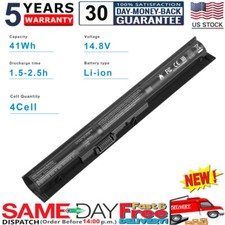
- Security:100% new from manufacturer, every battery has passed factory testing, grade A cells ensure fast charges and low power consumption, built-in circuit protection ensures both safety and stability. Up to 500 recharge cycles over the life of the battery
- Perfect After-sale: 30 Days no-questions-asked full money back and 12 Months free exchange guarantee.
How to confirm that the battery is suitable for your laptop?
Method 1: Use System Information to find your laptop model
- Step 1: Press Windows + R to open Run window.
- Step 2: Input "msinfo32" in the empty box and click OK to open System Information.
- Step 3: Keep in the System Summary section, and you will find the System Model item in the right pane.
Method 2: Remove Battery from Laptop to find your laptop battery part number
- Step 1: Switch off the laptop and unplug the power cable in case of electric shock
- Step 2: Remove the back panel with the screwdriver. You should to this with care avoiding any harm to the laptop components.
- Step 3: Disconnect the cable connected to the battery and then take out the battery. After that, you can check the specifications of your battery.
Please check the specific laptop model, not just laptop series because not all HP Inspiron 15 series laptop will work with this battery!!!
Compatible with Part Number :
756743-001 756478-421 756745-001 756479-421 756478-422 756743001 756745001 VI04 VIO4 VI04048 VI04048-CL VI04XL HSTNN-DB6K HSTNN-DB6I HSTNN-LB6J HSTNN-LB6K HSTNN-C82C
Compatible With HP Models:
for HP Envy 14T-U 14-U 15-K 15T-K100 17-K M7-K000 Series
Envy 14T-U 14-U Series: 14T-U000 14T-U100 14-U000 14-U001LA 14-U001TX 14-U002TX 14-U003LA 14-U003TX 14-U004TX 14-U005TX 14-U006TX 14-U007TX 14-U008TX 14-U009TX 14-U010TX 14-U011TX 14-U012TX 14-U013TX 14-U014TX 14-U015TX 14-U016TX 14-U121LA 14-U185LA 14-U290LA
Envy 15-K 15T-K100 Series: 15-K000EW 15-K000NG 15-K000NIA 15-K000NK 15-K000NL 15-K000NX 15-K000ST 15-K001TX 15-K002NE 15-K002NL 15-K002NX 15-K002TX 15-K002XX 15-K003NIA 15-K003NK 15-K003NL 15-K003NX 15-K003TX 15-K004NE 15-K004NF 15-K004NL 15-K004SV 15-K004TX 15-K005NL 15-K005SV 15-K005TX 15-K006NG 15-K006NL 15-K006SV 15-K006TX 15-K007NE 15-K007TX 15-K008NE 15-K012NR 15-K016NR 15-K019NR 15-K020US 15-K049LA 15-K050LA 15-K052SR 15-K060NZ 15-K066NZ 15-K073CA 15-K081NR 15-K111NL 15-K118NR 15-K151NR 15T-K100
Envy 17-K Series: 17-K073CA 17-K100NC 17-K100NL 17-K100NO 17-K100NW 17-K101NG 17-K101NO 17-K102NF 17-K102NG 17-K102NO 17-K104NG 17-K109NF 17-K110NF 17-K112NL 17-K118NR 17-K130NB 17-K141ND 17-K150NR 17-K151NR 17-K152NR 17-K153NR 17-K170CA 17-K170NO 17-K173NG 17-K181NG 17-K186NZ 17-K188NZ 17-K195NZ 17-K197NZ 17-K200NA 17-K200NC 17-K200NS 17-K200NT 17-K200NW 17-K201NA 17-K201NF 17-K201NG
Envy M7-K000 Series
M7-K010DX M7-K111DX M7-K211DX
for HP Pavilion 14 Series: 14T-V000 14-V001TU 14-V001TX 14-V002LA 14-V002TU 14-V002TX 14-V003LA 14-V003TU 14-V003TX 14-V004TU 14-V004TX 14-V005LA 14-V005TU 14-V005TX 14-V006LA 14-V006TU 14-V006TX 14-V007LA 14-V007TU 14-V007TX 14-V008TU 14-V008TX 14-V009LA 14-V009TU 14-V009TX 14-V100 14-V101TU 14-V101TX
for HP Pavilion 15 Series: 15-P000EJ 15-P000ER 15-P000NE 15-P000NF 15-P000NIA 15-P000NX 15-P000SH 15-P000SQ 15-P000SR 15-P000SU 15-P001EJ 15-P001ER 15-P001LA 15-P001NA 15-P001NX 15-P001SH 15-P001SR 15-P001TX 15-P002EJ 15-P002ER 15-P002LA 15-P002NA 15-P002NF 15-P002NIA
for HP Pavilion 17 Series: 17-F000 17-F000ER 17-F000NA 17-F000ND 17-F000NF 17-F000NG 17-F000NL 17-F000SM 17-F000SQ 17-F000SR 17-F000SV 17-F001DX 17-F001ER 17-F001ND 17-F001NG 17-F001NL 17-F001SM 17-F001SR 17-F002DX 17-F002NA 17-F002ND 17-F002NF 17-F002NIA 17-F002NS 17-F002SM 17-F003DX 17-F003NF 17-F003NG 17-F003NK 17-F003NL 17-F003NS 17-F004DX 17-F004ER 17-F004NF 17-F004NL 17-F004NS 17-F004SR 17-F005ER 17-F005NF 17-F005NK 17-F005SR 17-F006DX 17-F006ER 17-F006NF 17-F006SR 17-F007ER 17-F007NF 17-F007NG 17-F007SR 17-F008ER 17-F008NG 17-F008SR 17-F009ER 17-F009NF 17-F009NG 17-F009SR 17-F010NA 17-F010SV 17-F010US 17-F011NX 17-F011SV 17-F012NA 17-F012NG 17-F012NX 17-F014NR 17-F015NZ 17-F015SW 17-F018NO 17-F019NO 17-F019WM 17-F020ND 17-F020NZ 17-F020SW 17-F020US 17-F021CY 17-F021DS 17-F021NR 17-F022CY 17-F022DS 17-F022NG 17-F022NR 17-F023CL 17-F023CY 17-F023DS 17-F023NR 17-F024CY 17-F024DS 17-F024NG 17-F024NR 17-F024NZ 17-F025CY 17-F025DS 17-F025NG 17-F025NR 17-F026CY 17-F026DS 17-F026NR 17-F027CY 17-F027DS 17-F027NF 17-F027NR
Why the laptop does not recognize the battery?
- Could be caused by battery loose. Please re-install the battery and make sure that the battery cable and the motherboard interface are tightly inserted.
- Maybe due to conductive material damaged which the laptop motherboard and battery anode and cathode contact position, you can try to confirm it with your original battery.
- Check whether the battery drive is in normal condition, if not, download the corresponding driver software to update.
Security and Reliable
- 12 rigorous testing. Deal with accidents calmly.
- Core circuit protection design. Only for efficiency and safety.
- Data and stability. Merged into one.
Actual test on real machine
- Actual check on real machine. Quality is well. Only by implementing stricter delivery standards can there be stable quality products.
- Conduct systematic checking. Each product is strictly checked in accordance with industry standards. The quality is only for your satisfaction.
Top Quality Battery Cells
A+ Cells structure. Excellent discharge curve and low internal resistance. Excellent cell stability. Long cycle life.
Easily deal with various scenarios. We know what you care about.
Install A New Battery:
- You need to turn off your laptop and disconnect the power.
- Disconnect the connection between the old battery and the motherboard to avoid unnecessary damage caused by disassembling the battery. Then unscrew the old battery screws one by one and carefully save each screw.
- Remove the old battery, carefully install the new battery on the battery case, screw in the screw, and connect the wiring of the new battery.
- If you don't understand the above steps, you can search for the video about laptop battery installation on YouTube. Maybe it will help you.
Laptop Battery Instructions:
- Discharge the new battery to 10% (not 0%), then charge(100%) and cycle 3-5 times to wake up the new battery.
- It can calibrate the state of the battery by performing a complete and effective charging and discharging of the battery once a month.
- Charge it to around 50% when you store it long term.
- Do not keep your battery below 5% or deep discharge state (long time 0%), may turn on battery protection and cause the battery to fail to charge.
- Please feel welcomed to notify us of any inconvenience or fault in our battery.
The following are troubleshooting methods:
- Turn off the laptop.
- Unplug AC power.
- Remove the battery.
- Replace AC power.
- Turn on laptop,allow OS to boot.
- Once logged into the machine, perform a normal shut down.
- Unplug AC power.
- Replace battery.
Notice:1、If you can give us positive response as soon as you receive the goods, we would be very grateful.2、Because your response is very important to the development of our business. If you are satisfied with our products and services, we sincerely invite you to leave us positive response.3、If you are not satisfied, you really want to leave us negative response, please wait a moment, please contact us first, we will definitely solve your problem and make you satisfied.4、Even if something is beyond our control, we will do our best to solve it. We don't want to give you a bad buying experience.Returns:1、30 days warranty from the purchased date. Please contact us via email before returning the defective item.2、Our warranty does not extended to any product that are physically damaged or that are not under normal operating conditions as result of misuse or improper installation on the buyer/user's part.3、Return items should include the original packaging and all accessories. buyers MUST contact us for the returning address.4、In all cases, buyers pay shipping fees at their own cost to return products for exchange or refund. We will be responsible for the postage of replacements. Refund will be made upon receipt of the returned item.Please make a note in a paper with your User ID, purchased date and details of the issue you are experiencing.