UBB Store

Bluetooth Mouse,Type-c and USB 2.4G Wireless Vertical Mouse Rechargeable Ergonom
When you click on links to various merchants on this site and make a purchase, this can result in this site earning a commission. Affiliate programs and affiliations include, but are not limited to, the eBay Partner Network.
Bluetooth Mouse,Type-c and USB 2.4G Wireless Vertical Mouse Rechargeable Ergonom
Price: US $20.99
About this item
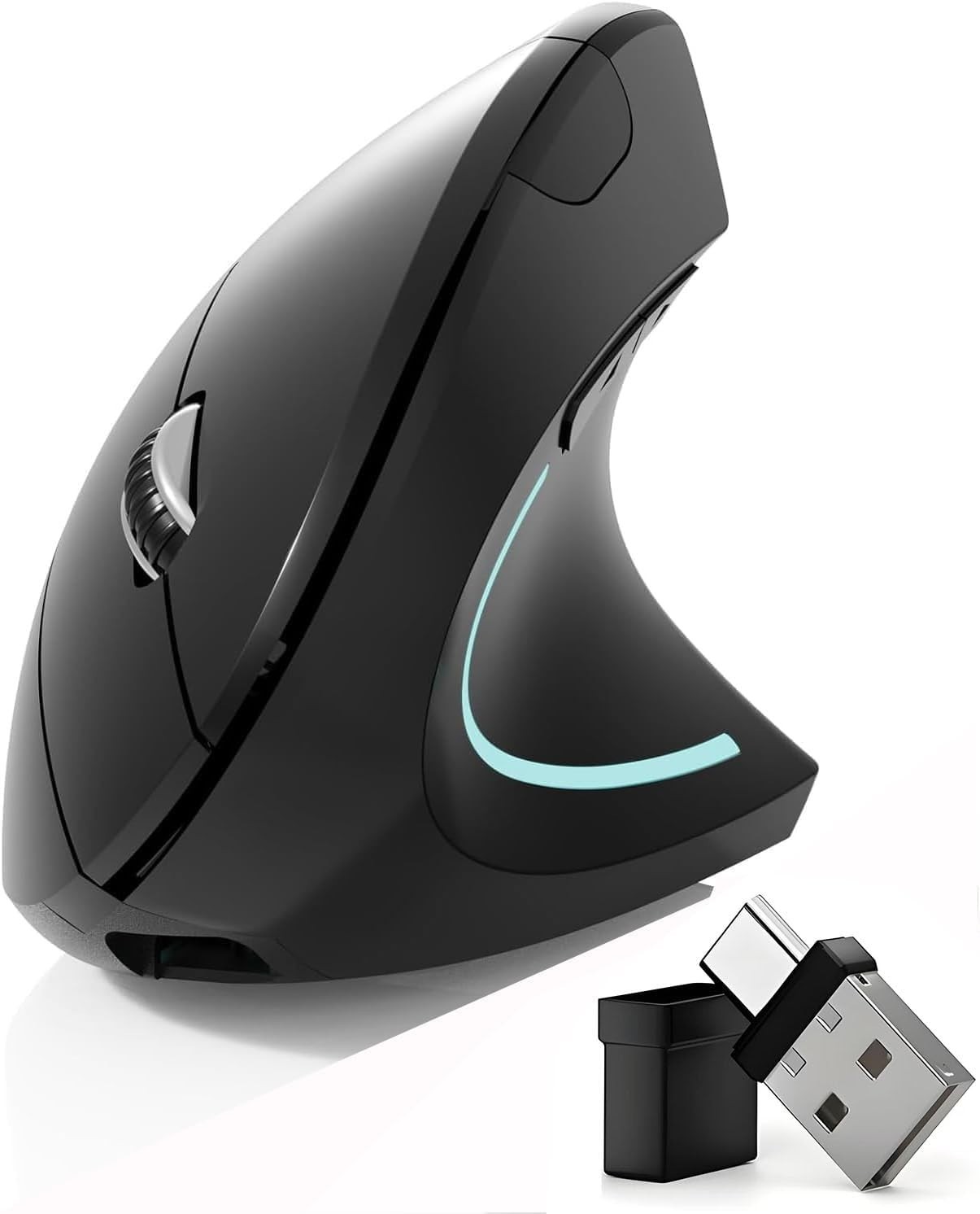
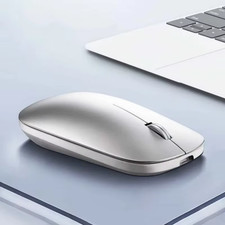
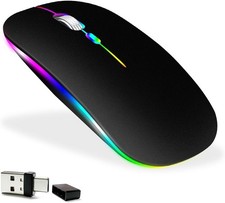
  • NEW Upgraded mouse:injects new vitality into efficient office work. It has four excellent working modes. You can freely choose between BT5.2 and BT3.0 Bluetooth connections. The 2.4GHz USB-A and 2.4GHz USB Type-C connections are efficient and stable. Its unique dual-port receiver cleverly integrates the USB-A and USB Type-C interfaces, bringing extreme convenience. With just a light press of a switch, this Bluetooth wireless mouse can freely gallop between various devices. The transition from a desktop computer to a notebook is seamless, and it is also effortless to switch from a tablet to a MacBook. Let you switch as you wish and enjoy a new realm of office wo
  • Added next/previous buttons provide convenience when webpage browsing; the superior choice for internet surfers, gamers and people who work at length at the computer.
  • 800 / 1200 / 1600 DPI Resolution Optical Tracking Technology provides more sensitivity than standard optical mice for smooth and precise tracking on a wide range of surfaces.
  • Scientific ergonomic design encourages healthy neutral "handshake" wrist and arm positions for smoother movement and less overall strain.
  • [Rechargeable] Built-in rechargeable battery, no need change battery. Special soundless design for the right and left buttons, won’t disturb others.One year quality warranty for this wireless bluetooth mouse
  • Product descriptionBluetooth mouse Type-c and USB 2.4GWireless Vertical Ergonomic Optical Mouse4 Modes Mouse(BT5.2 & BT3.0 + 2.4GHz USB-A & 2.4GHz USB Type-C)

    How to use mouse 2.4G USB receiver mode

    First, switch the mouse switch to 2.4G mode (green light)> Then remove the USB receiver bottom of the mouse. (With a dual-port receiver integrating USB and Type-C), > Plug the USB receiver into the USB port of your laptop,plug and play.(Works with all USB ports and USB c Laptop and desktop ports)

    HOW to use Bluetooth mouse mode

    First, slide the mouse switch to Bluetooth mode (blue light) > open laptop system preferences settings> turn on Bluetooth function > Bluetooth search there appears Bluetooth 5.2 mouse>click to connect "BT5.2 mouse or BT3.0 mouse (BT3.0 for old laptop) > connection is successful

    How to use the bluetooth mouse on the ipad OS13 and above iPad pro

    First, open iPad settings, find accessibility, turn on touch controls, find assistive touch controls, turn on assistive touch controls, then pull down to find the device, turn on the Bluetooth device, then turn on the mouse switch, your iPad will search for a Bluetooth 5.2 mouse and click "Connect". Pairing password: 0000, (if you can't find the Bluetooth mouse device, please restart the mouse or iPad Bluetooth function, or restart the iPad)

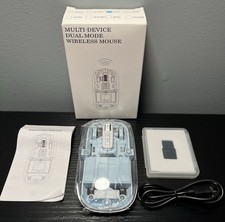
    Package Included:

    1 x Dual Mode Bluetooth Wireless Rechargeable Ergonomic mouse

    1 x 2.4G USB-A & USB Type-C Receiver. (bottom of the mouse)

    1 x Type-C Charging Cable.

    1 x User Manual.



Buy Now