 When you click on links to various merchants on this site and make a purchase, this can result in this site earning a commission. Affiliate programs and affiliations include, but are not limited to, the eBay Partner Network. When you click on links to various merchants on this site and make a purchase, this can result in this site earning a commission. Affiliate programs and affiliations include, but are not limited to, the eBay Partner Network.
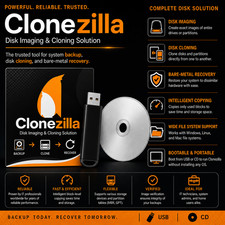
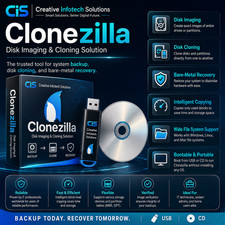
CloneZilla DVD CloneZilla is a partition and disk imaging/cloning program similar to True Image® or Norton Ghost®. It’s designed to perform system deployment, bare metal backup, and recovery. CloneZilla comes in three types: CloneZilla live, CloneZilla lite server, and CloneZilla SE (server edition). CloneZilla live is suitable for single machine backup and restore, while the lite server and SE are designed for massive deployment, capable of cloning many computers simultaneously.Supplied on DVD, it provides a practical solution for restoring systems, moving installations to new hardware, or safeguarding important data.Key Features: - Preloaded with Clonezilla Live (64-bit) – A trusted solution for disk cloning and backup.
- Bootable & Portable – No installation required; simply plug in and boot.
- Supports Multiple Filesystems – Works with NTFS, FAT32, ext3, ext4, and more.
- Fast & Efficient – Clone entire disks or partitions with minimal downtime.
- Data Backup & Recovery – Create exact disk images to prevent data loss.
- Secure & Open-Source – No hidden software or tracking; widely trusted by IT professionals.
Product Highlights: - Fully bootable and easy to carry – just insert it and start from BIOS/UEFI, no setup needed.
- Comes loaded with Clonezilla Live on a Bootable USB – a proven, community-backed option for imaging and cloning drives.
- Handles a wide range of file systems – including NTFS, FAT32, ext3, ext4, and others.
- Quick cloning process – copy full drives or specific partitions with little interruption.
- Reliable backup and restore capabilities – make precise images to safeguard your data.
- Transparent and trustworthy – completely open-source with no extra programs or monitoring.
Clonezilla is Great for: - Transferring data when switching to a new HDD or SSD
- Keeping all of your data on a secondary HDD or SSD as a full backup.
- Tech specialists, PC Repair Shops, PC Technicians and IT teams looking for efficient and proven drive duplication
- Building complete system backups for emergency recovery
- Bringing systems back to working order after crashes or issues
- To help backup and clone your hard drives to prevent all of your data being lost due to hardware failures or other issues.
 |
|