Listing Overview
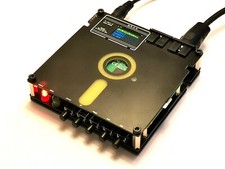
This listing is for one PI1541 module, implementing the cycle-exact Commodore 1541 emulator by Steve White. A Raspberry Pi is required to use this module, and it is not included with the listing. The PI1541 in this listing has been tested with a Raspberry Pi Zero W, though it is usable with other Raspberry Pi models. For more information about the PI1541 and which Raspberry Pi models are supported, please use the following search terms to locate the project page and general Raspberry Pi firmware installation instructions ( does not allow links in listings).
- cbm pi1541 steve white
- youtube pi1541 zero 8Gs1daxDKa8
Module Design Information
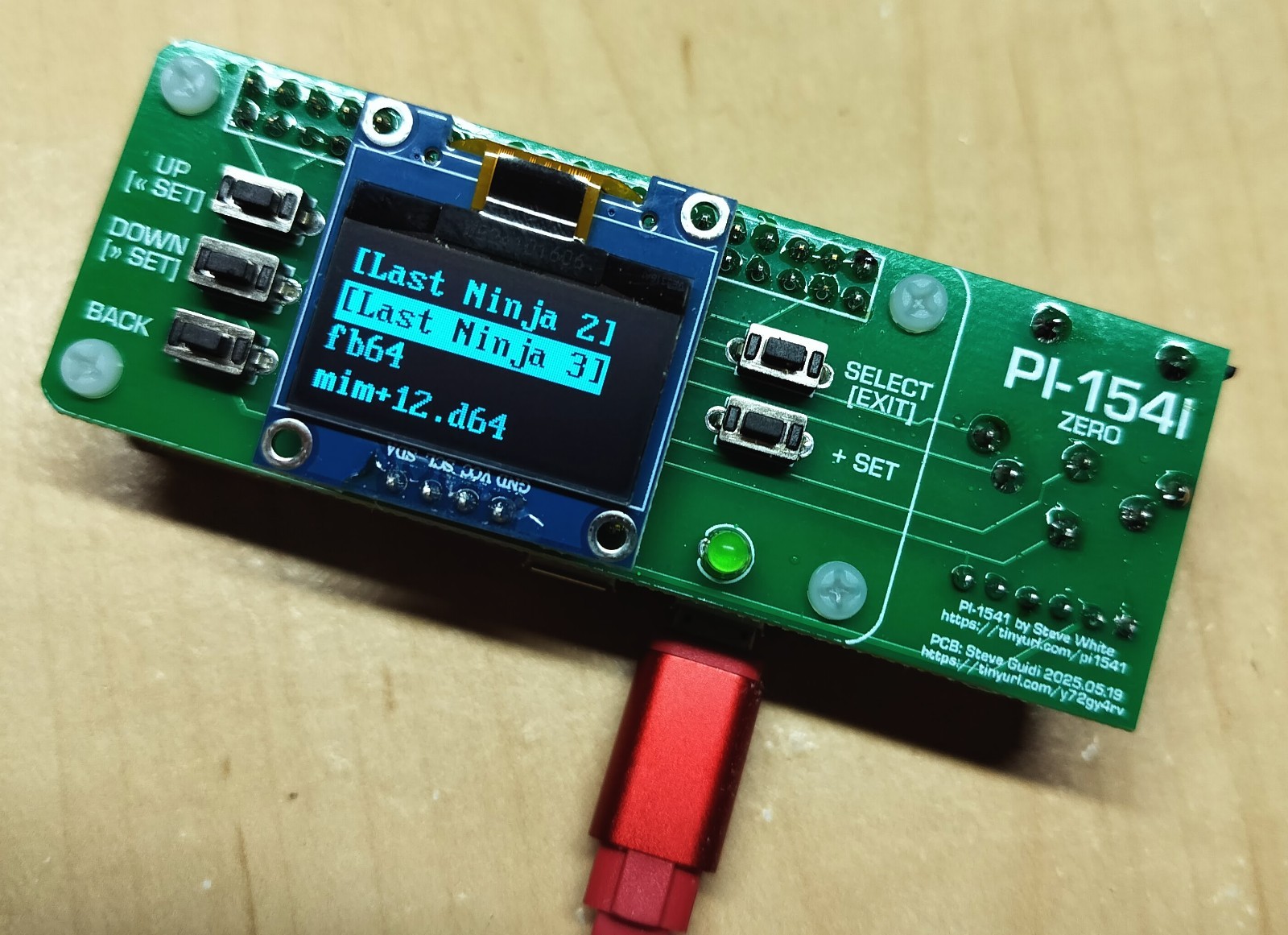
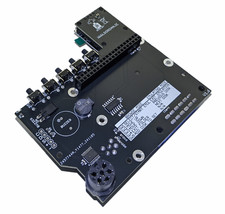
This PI1541 module is designed to have a small form factor, similar to the Raspberry Pi Zero series (Zero, Zero W, Zero 2, etc...) while also implementing the "Option B" or "7406" schematic. This implementation allows the PI1541 to communicate with your Commodore 8-bit computer and also function with other devices connected to the serial bus. Use the given serial pin-header cable to connect the PI1541 directly to the computer, or to another serial device that is connected to the computer (1541, 1581, printer, etc...). Alternatively, you can use an existing serial cable to make the connection too!
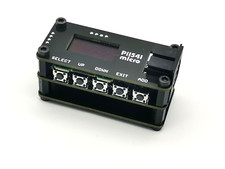
Furthermore, the buttons for the PI1541 follow a logical layout and are clearly labelled with their functionality. You may hold the device like a modern game controller, using your thumbs to navigate the menu system and select files. The OLED screen is soldered in place but also installed with a piece of double-sided foam tape to mitigate any pressure it may receive from its surface. A green LED signals both device activity and status, similar to many Commodore disk drives.
Listing Items and Installation
Included with the listing are the following items:
- (1) PI1541 Module/Hat
- (1) IEC/Serial Pin-header Cable, (6-pin JST XH Female to DIN-6 Male)
- (4) Nylon PCB standoff/spacers, for securing the hat to a Raspberry Pi Zero
- (8) Nylon screws, for securing the hat to a Raspberry Pi Zero
This PI1541 is designed to work with several Raspberry Pi variants (see project page above) but note that this module is primarily designed for the Raspberry Pi Zero. The added female DIN-6 serial connector may interfere with installation on larger Raspberry Pi models; fit has only been verified with the Zero series.
Modification of the default options.txt file is required for proper operation of this PI1541. This file configures the PI1541 to share the serial bus, configures the OLED screen orientation, and enables the LED. You may use the following Github Gists search keywords to locate the configuration files, which will also be provided upon request. An overclocking configuration is also provided for use with the Raspberry Pi Zero and Zero W.
- PI1541 Zero 7406 Config Overclocking
Note that the key differences between the default options.txt and the one required for this hat are the following:
- splitIECLines = 1
- LCDName = ssd1306_128x64
- i2cBusMaster = 0 //SDA - pin 27 SCL - pin 28
- i2cLcdFlip = 1
Of importance are splitIECLines=1 to enable multiple devices on the serial bus ("Option B") and i2cBusMaster=0. The default comments state i2cBusMaster=0 is for "Option A" implementations, but the OLED screen is indeed connected to the given Raspberry Pi pins in the comment.
Buyer is responsible for properly installing PI1541 firmware from above-listed project page; please also review above-listed YouTube video depicting a complete firmware installation and Zero W configuration (applicable to all supported Raspberry Pi models).