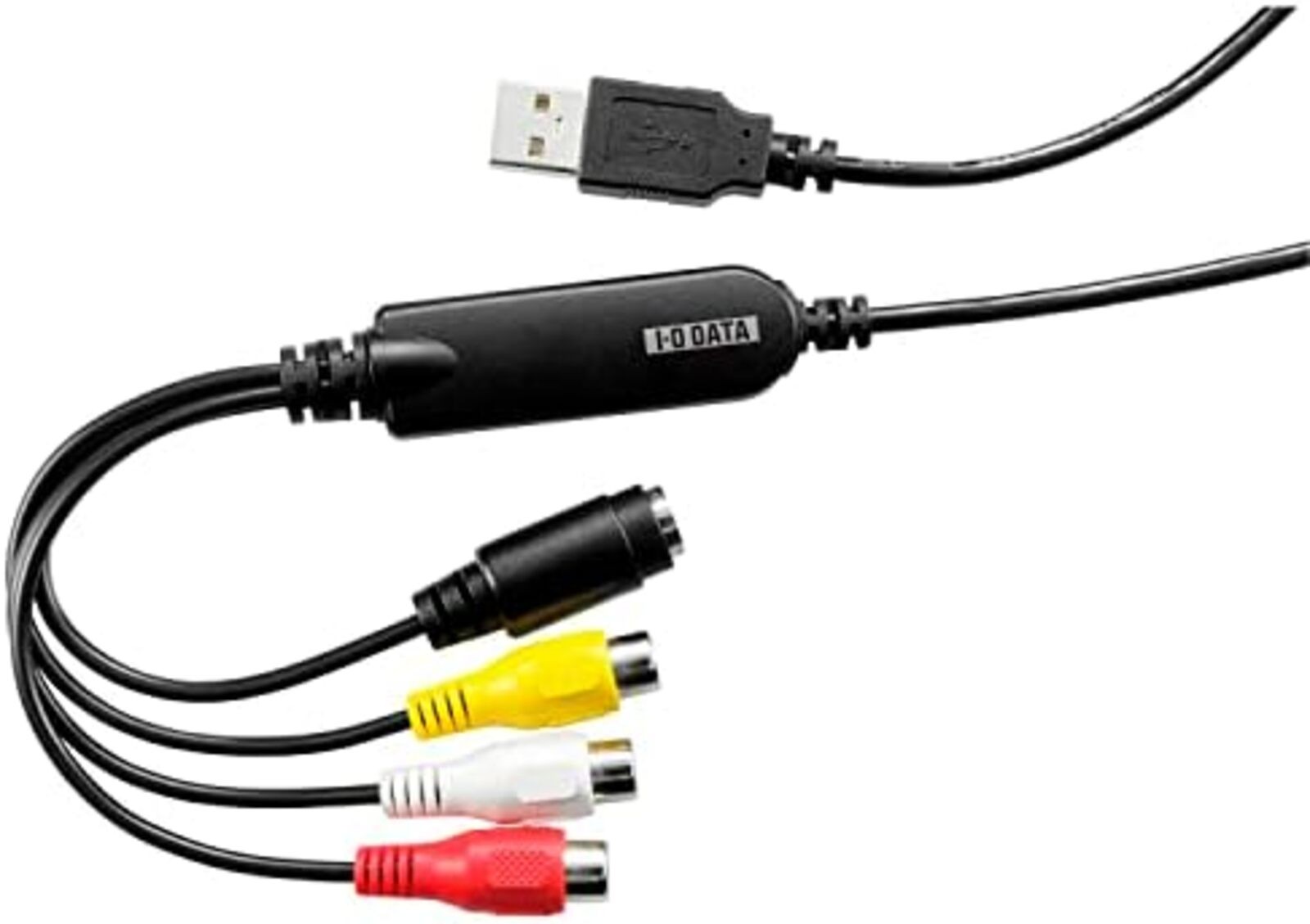
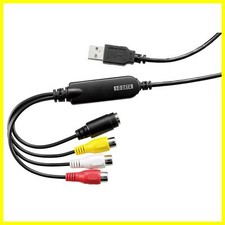
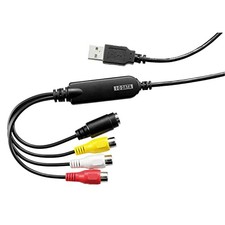
IO Data GV-USB2/E Video VHS 8mm DVD Connection Video Capture New from Japan Product description:
[Save VHS and 8mm Videos to DVD]If you have an important VHS tape that you have recorded or an old 8mm videotape that captures a lot of memories, you can easily save these data to a DVD! You can also make simple edits, so you can save the edited data to a DVD and create your own original video.
[Save directly from videotape to DVD] Supports "direct recording" that allows you to burn video data directly to DVD without the hassle of saving it to a hard disk! It can be saved directly to a DVD from a VCR, camcorder or other source, so you can create a DVD immediately without any hassle.
[Easy Editing and Keeping on DVD]Once you save the video data to your hard disk, you can create your own menu design according to the theme of your precious memories, or create an original DVD with simple video editing.
I want to save digitally on a hard disk! In that case, you can easily save the videotape footage with one click using the video recording software "LightCapture". You can
use your computer display as a video tape preview, or you can also use your computer display as a gaming monitor.
[Safe even if it's your first time] To start using it, insert the attached CD-ROM and install it with one click.
In addition, even if you don't know how to use it, it comes with an "instruction manual" that shows you how to create a DVD, record it to a hard disk, and edit it easily, so even beginners can rest assured.
Due to product renewal, you may receive products with different packaging designs. Please
note.
Brand : IO Data
Hardware Interface : USB 2.0 Type A
Operating System : Windows
Product Recommended Use : Video Recording
Platform : WindowsBrand : IO Data
Manufacturer : IO Data
Product Size : 5.74 x 1.82 x 1.3 cm; 200 g
Item Model Number : GV-USB2/E
Product Dimensions Width x Height : 5.7 x 1.8 x 1.3 cm
Tuner Method : NTSC, PAL
OS : Windows
Battery : No
Item Weight : 200 g
* Features: Easy dubbing! Save your important videotapes to DVD USB connection video capture * Compatible software: DVD authoring software "CyberLink PowerProducer5 for I-O DATA" / Video recording software "LightCapture by IO Data Equipment" * Compatible OS: Windows 11/10/8.1 (please check the manufacturer's website for details) * Input terminals: Input video method: NTSC (color), Composite video input: RCA pin x 1, S video input: Mini DIN 4 pins x 1, External line input: RCA pin (L/R) x 1 each * Size/weight: Approx. 18.2 (W) x 57.4 (D) x 13.0 (H) mm / Approx. 50g * Accessories: Instruction manual (including warranty card)Brand introduction
Recommended Product Recommended Product Recommended Product
Visit Store Visit Store Access Store Description by
Manufacturer When you buy a DVD recorder from a VHS VCR, you will no longer be able to watch the important VHS tapes you have recorded, and if you have an old 8mm videotape that has captured a lot of memories, have you given up thinking that you may not be able to watch it someday due to the deterioration of the tape..".
In such cases, you can easily save these data to a DVD by using this product.
With DVDs, you can keep the image beautiful without deteriorating image quality like videotapes.
It is also bulky and takes up less space than videotapes, so it can be stored. Even if you
are a computer beginner, you can rest assured! You can easily create DVDs in 3 steps.
To set up, download the support software from the download page and complete the installation in one click.
If you connect a VCR to a computer, you can do the rest of the DVD creation with simple operations. You
can create your own menu design according to the theme or create an "original DVD" with simple edits.
It is equipped with a "Smart Fit" function that automatically converts the video quality to the appropriate image quality according to the disk space when writing data, so it is okay even if the video is about to exceed the capacity of the DVD.
If you want to digitally save it to your hard disk, you can easily save videotape footage with one click using the video recording software "LightCapture".
It can also be stored on an external hard disk. We support the highly
requested "full screen display". The
PC display can be used not only as a "video tape playback" or as a "gaming monitor". You
can also record in full screen, so you can save your play status while playing games.
The connection is very easy.
Just connect the VCR, this product, and computer as shown in the figure.
It can be used on game consoles such as PS3/PS2, Wii U/Wii, as well as retro game consoles such as PS1, GC, N64, SFC, and NEW FC.
Japanese electrical products typically operate at 100V input voltage (Type A plug). If the voltage is not specified in the description or Item Specifics, the product may only support 100V input. A voltage converter may be required to use 100V devices in your country. Please contact the seller for accurate input voltage details.Japanese DVD video/music discs typically have region code 2. If not specified in the description or Item Specifics, the DVD region code is 2 (NTSC-J).Some visual content on Japanese DVDs may be censored in accordance with Japanese law.If audio or subtitles in a specific language (e.g. English) are not explicitly listed, this product does NOT include them (in most cases, only Japanese is included).
Shipping:
- Economy Shipping :
USA: 2-3 weeks, Air Mail with Tracking number
ASIA: 2-4 weeks, Air Mail with Tracking number
EU, UK: 2-4 weeks, Air Mail with Tracking number
AU, NZ, CA: 2-4 weeks, Air Mail with Tracking number- Standard Shipping : Air Mail/EMS/Other shipping methods- Expedited Shipping :
USA: 2-5 days, Fedex/DHL-Express/EMS with Tracking number
ASIA: 2-5 days, Fedex/DHL-Express/EMS with Tracking number
EU, UK: 3-6 days, Fedex/DHL-Express/EMS with Tracking number
AU, NZ, CA: 3-6 days, Fedex/DHL-Express/EMS with Tracking number*)Depending on the destination address and type of product, the planned shipping method may be changed. If you want to know the shipping method, please contact us before purchase.
*)If you need faster shipping, please contact us before purchase.*)Shipping to the U.S. includes U.S. import duties and customs fees.
International Buyers - Please Note:
For orders shipped outside the U.S., import duties, taxes and charges are not included in the item price or shipping charges. These charges are the buyer's responsibility.
Please check with your country's customs office to determine what these additional costs will be prior to offerding/buying.
These charges are normally collected by the delivering freight (shipping) company or when you pick the item up - do not confuse them for additional shipping charges.
EU Right of Withdrawal: If you are a consumer in the European Union, you may withdraw from this purchase within 14 days of delivery without giving any reason. In addition to notifying us by message, you can exercise this right by selecting the "Return item" option on your Purchase History or Order Details page and choosing the "Withdrawal from Contract" reason. You may also exercise your Right of Withdrawal online at Import Duty Notice (effective July 1, 2026): Following the EU customs reform, parcels with a declared value of EUR 150 or less are subject to a flat duty of EUR 3 per item type when imported into the European Union.
- If your order ships by express courier (DHL / FedEx via SpeedPAK), this duty is prepaid by us and no further charge applies to you.
- If your order ships by standard mail (Japan Post), the duty is collected from you (the recipient) by your local customs or postal service on delivery.
Please take this into account before purchasing.
duck_shop_japan