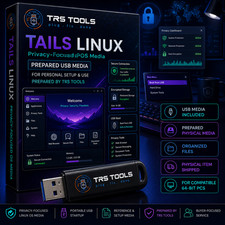
Linux Tails Live
Live on USB Flash Drive
Each USB is tested on a laptop, prior to shipping.
New
What are the system requirements to run Linux Tails Live:
Detailed hardware requirements
The ability to start from a USB stick.
A 64-bit x86-64 IBM PC compatible processor.
Tails does not works on ARM or PowerPC processors.
Tails does not work on 32-bit computers since Tails 3.0 (June 2017).
3 GB of RAMHow Tails works
Leave no trace on the computerYour secure computer anywhereTo use Tails, shut down the computer and start on your Tails USB stick instead of starting on Windows, macOS, or Linux.You can temporarily turn your own computer into a secure machine. You can also stay safe while using the computer of somebody else.Tails takes ½ hour to install. Tails works on most computers less than 10 years old. You can start again on the other operating system after you shut down Tails.You don't have to worry about the computer having viruses because Tails runs independently from the other operating system and never uses the hard disk. But, Tails cannot always protect you if you install it from a computer with viruses or if you use it on a computer with malicious hardware, like keyloggers.
Tails is designed to hide your identity.
But some of your activities could reveal your identity:
Sharing files with metadata, such as date, time, location, and device information
Using Tails for more than one purpose at a time
Tails uses the Tor network because it is the strongest and most popular network to protect from surveillance and censorship.
But Tor has limitations if you are concerned about:
Hiding that you are using Tor and Tails
Protecting your online communications from determined, skilled attackersTails can safely run on a computer that has a virus.
But Tails cannot always protect you when:
Installing from an infected computer
Running Tails on a computer with a compromised BIOS, firmware, or hardware
Shipped by USPS Ground. The shipped box is strong, it will not damage easily.





![Tails OS Linux [LATEST] Bootable USB - Safe Fast Secure Anonymous Live Boot OS picture](/store/item/img/g/yMwAAeSw5spp3mnS/s-l225/Tails-OS-Linux-LATEST-Bootable-USB-Safe-Fast-Secur.jpg)