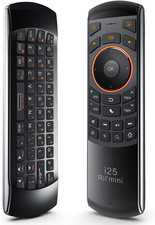
Mini I25 Wireless Fly Mouse Keyboard and Remote Control | Multifunction Portable 3 in 1 with Rechargeable Battery for PC, Laptops, Linux, Android Tv Boxs, Windows, Windows, IPTV
Product description
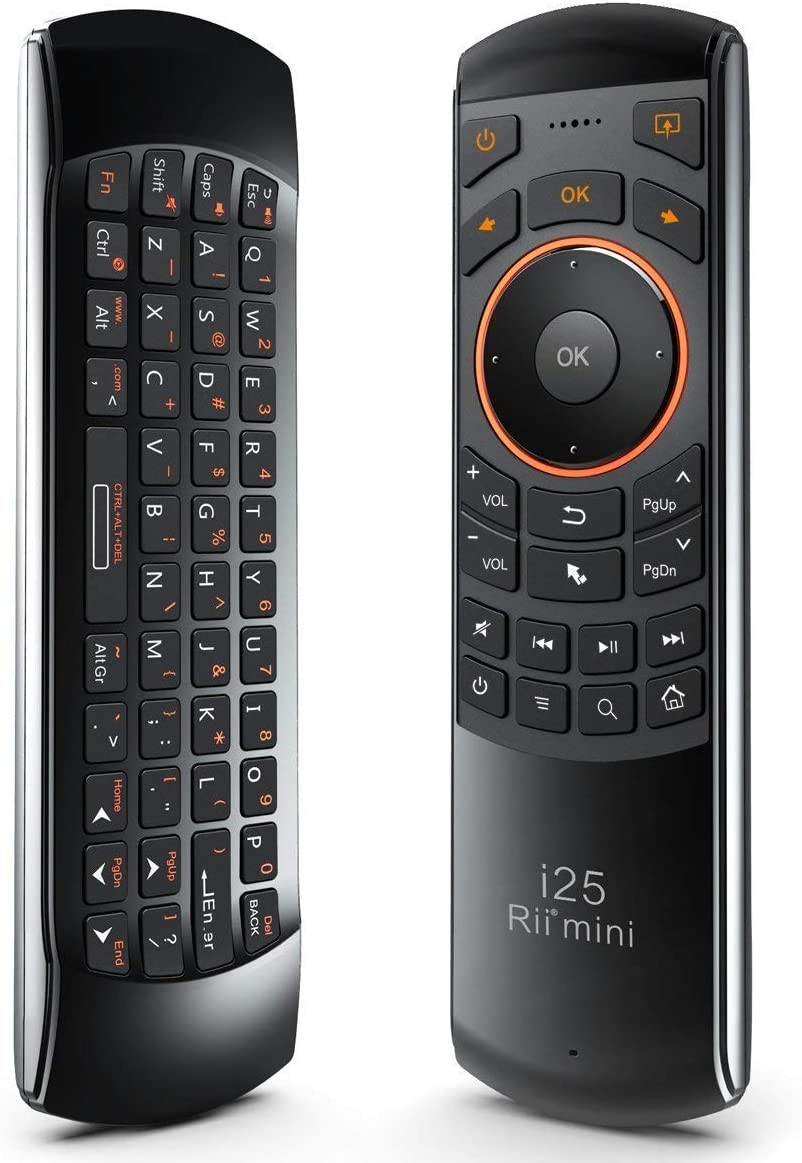
Feature: - Thank you for purchasing the Mini Multifunction Keyboard! , Wireless Mini QWERTY Keyboard & IR remote & Fly Mouse Combo,Audio Feature with USB interface receiver. And Built-in advanced lithium-ion battery, energy-efficient. You can use it for emails,to enjoy your favorite games. It is compatible with HTPC,TV BOX running Android systems.It also supports the Sony Playstation3. Use it with your HTPC on your Sofa or browse the internet in the most comfortable fashion. This is also a universal infrared remote controller with learning function.The remote control has a powerful ability to identify unknown format with a wide and reliable range of learning formats which means about 99.9% TV infrared remote control on the market can be learnt .After learning the signals can be transmitted with high precision with a wide learning range(20kHz~60kHz) and a small frequency error1kHz).
How to make IR programming:
1.Long press the air mouse keyboard button that requires programming 3 seconds,LED light will blink withing 3 seconds and be lighted after 3 seconds;
2.Align the original IR remote lamp with the air mouse keyboard IR lamp at a distance of 2-7cm and short press the corresponding button within 10 seconds,if the programming is made successfully,LED light blinks 2 seconds and exits programming status,you can check whether the programming is successfully,if not,please repeat the above operation.
Note:make sure that the remote have been charged fully,when the battery is low,the low-voltage light will blink to warn the user,the unit will turn off automatically if the battery have been depleted.
How to processs the pair:
When you began to use the keyboard,if the blue LED can not be lighted,you can operate as following to pair(this operation is suitable for situation where a new USB receiver requires pairing).
Step1:Keep your PC on ;
Step2:Press the “ESC” without releasing;
Step3:Power on keyboard and release the “ESC” immediately;
Step4:Plug the USB receiver into the USB port of your PC ,wait a moment,the keyboard will be paired automatically,then you could try if it works well.
Note: make sure that this remote have been charged fully before pairing,
This remote have some compatibility of your TV:
Generally ,this keyboard works well on smart TV ,but different smart TVs have diverse systems,especially Samsung smat TV,Sony smart TV ,so we can not make sure it is compatible with any systems,before place order ,try the common wired keyboard and mouse on your smart TV,if the keyboard and mouse all work well,this product can work well too.
How to charge the battery:
1.the remote uses built-in polymer lithium-ion battery,please use only approved data cables and chargers;
Note:fully charge the unit before initial operation ,this device can be used when charging ,but charging time will be extended;
2.When the battery is low,the low-voltage light will blink to warn the user ,the unit will be automatically turned off if battery is depleted;
Note:the battery will discharge if it is stored for a long time without operation.
3.Use the specified charger,disconnect the device when the battery is charged fully;
Note:Overcharging the battery will shorten the battery life;
4.Do not expose the device in extreme heat or cold environment,which shorten the battery life;
The cursor drift problem:
1.in the activation status, the mouse will follow your gestures in any direction,in any status, you can use the “LOCK” button to lock and unlock the fly mouse ;
2.Press the FN+caps to adjust the DPI ,to deal with the problem;
Specifications - Receiver (dongle): Nano style - Connect port: With USB2.0 above - RF mode: 2.4Ghz GFSK - Transmission distance: Up to 10 meters - Transmission Power: Less than +4db - Power supply: Rechargeable 450mAh polymer Lithium-ion battery - Charging voltage: 4.4V ~ 5.25V - Charging current: 300mA - Sleeping Current class1: 86uA - Operation Voltage: 3.7V - Operating Current: 22mA - Product Size: 170mm*49mm*16mm Package Includes: - 1 x Multifunction keyboard - 1 x USB Wireless Receiver - 1 x User Manual - 1 x USB charging cable
- Multifunction, Wireless Mini QWERTY Keyboard & IR remote & Fly Mouse Combo, with USB interface receiver . Generally, this keyboard works well on smart TV. But different smart TVs have diverse systems,especially Samsung smart TV. so we can't make sure it is compatible with any system.:) Before you place order . Try the common wired keyboard and mouse on your smart TV.If the keyboard and mouse all work well, this keyboard-mouse combo can,too.
- Built-in advanced lithium-ion battery, energy-efficient.support USB charge,when press and drag at the same time,if the mouse freezes for a couple of seconds,you can use the USB extension cable on your device . You can use it for emails,to enjoy your favorite games. It is compatible with HTPC,TV BOX running Android systems
- Innovative Shape,Portable, elegant, Perfect for PC, Pad, Android Tv Box, Google TV Box, Xbox 360, PS3, HTPC, IPTV.Not work with the amazon fire tv stick !
- In any circumstance, it does a good job! 1. Press the SET button for more than 4 seconds, the yellow LED will blink once and lit. 2. Align the Rii remote IR Light with the original remote IR Light. (note: distance less than 7cm). Then, press the key to be programmed, LED indicator will flash twice and be on, which means the key is ready for programming. 3. Press the key to be programmed in the original remote. Rii remote LED will flash three times and be on, indicating the programming is complet
- Repeat steps 2-4 and finish the programming for other keys. 5. Press Set or leave it without any operation 10 seconds. Rii remote will exit programming mode. Note: The remote control can only support a remote control.
- Connectivity Technology Usb Other Special Features of the Product Rechargeable Compatible Devices Gaming Console, Personal Computer, Television Power Source Battery Powered Keyboard Layout QWERTY Number of Batteries 1 Lithium Ion batteries required. (included) Compatible Operating System Family Android, Windows Minimum Required Operating System Version Android 1.0 Hand Orientation Amofferextrous Operating System Android Number of Keys 92 Color Black Item Weight 1.44 ounces Keyboard Description Indoor Antenna Location Gaming Number of Packs 1 Manufacturer tek Unit Count 1 Count Model Number 8541649159 Mfr Part Number 8541649159 Special Feature Rechargeable
Shipping
- Fast shipping is very important for us.
- Our standard US shipping service is FREE.
- Your order will be shipped within 2-3 business days upon full payment received.
- Your order will be delivered within 2-3 business days after the handling time.
- We only ship to the confirmed PayPal address. We reserve the right to cancel any order for any reason at any time.
- We are not responsible for undeliverable addresses.
Returns and payment
- We offer a 30 days return policy from checkout winning date.
- We allow only PayPal as payment method
response
- Your response very important to us, after you get your package and you are satisfied with our serviceplease leave us positive response
- If you have any problem with your order / any questions please before leave any type of response
For any questions, using contact system
Please visit our store to check out other items for sale!Thank you for shopping at our store.