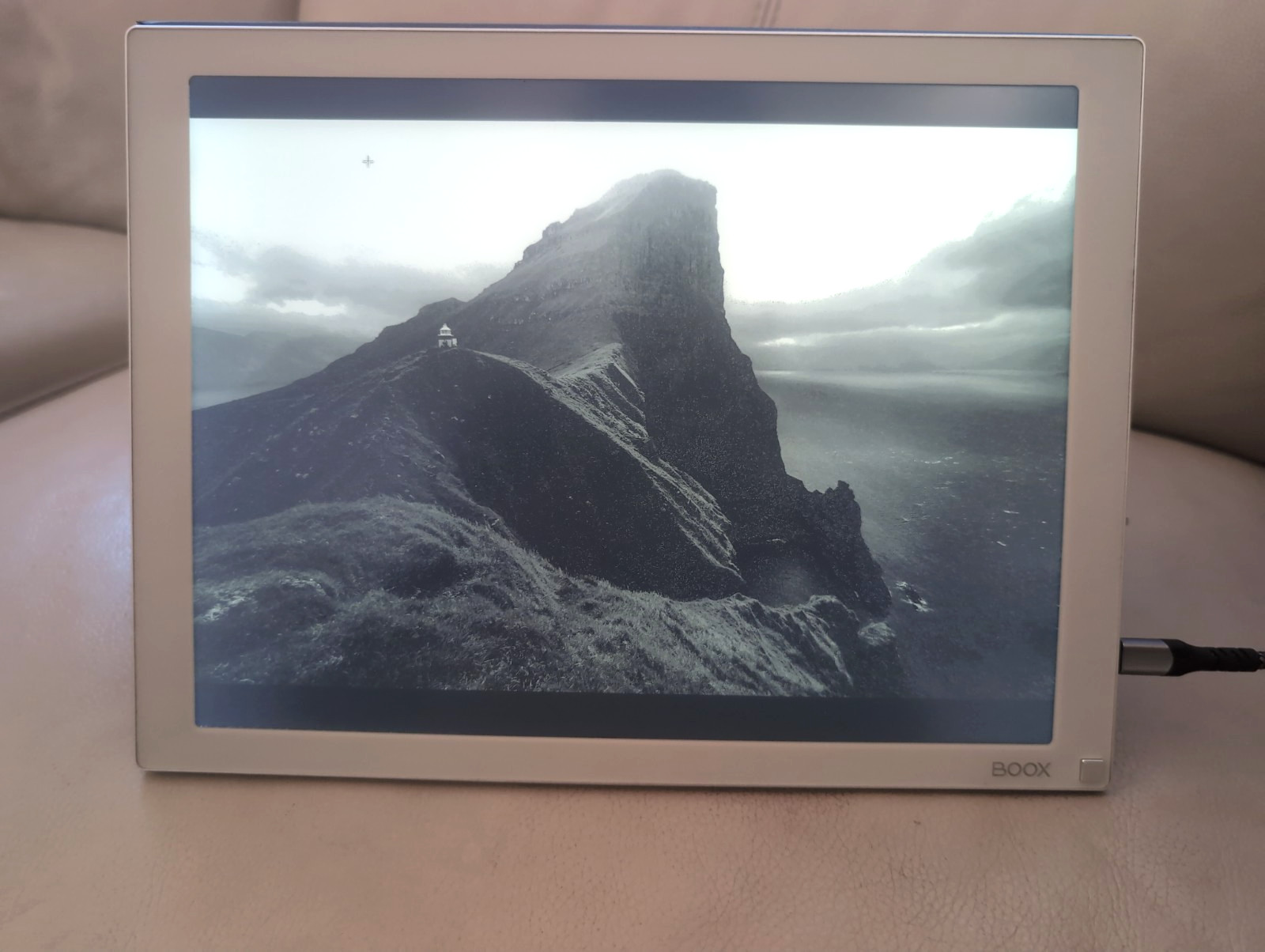
This is a unique, ultra-low-glare display perfect for reducing eye strain, reading documents, coding, or using as a second screen for spreadsheets and research. Unlike standard LCDs, this E-Ink display mimics paper, making it incredibly easy on the eyes for long sessions.
Key Features:
- Screen Size: 13.3 inches E-Ink Mobius display.
- Aspect Ratio: 4:3 (Perfect for documents and web browsing).
- Lighting: Dual frontlights (Warm/Amber and Cold/White) with adjustable brightness levels—ideal for reading in the dark without the harsh glare of backlights.
- Included Accessories: Comes with the original magnetic folio case (which doubles as a stand), Does not include mini-hdmi or usb-c display cable.
Why Choose E-Ink?
- Zero Eye Strain: No backlight flicker or blue light emission.
- Energy Efficient: Consumes power only when refreshing the screen; holds an image indefinitely with zero power.
- A note on "ghosting": You may notice a faint shadow of the previous page or screen lingering briefly on the display. This is called ghosting and it's a normal, inherent characteristic of all E Ink screens — not a defect. E Ink imitates paper by physically moving tiny pigment particles; during fast "partial" refreshes. A few particles can lag, leaving a faint afterimage. It clears up automatically with a full screen refresh (the brief flash the device does every few pages. This can be pushed with the button in the corner, or through the Mira app). Ghosting can also clear up on it's own as you switch to another page, image, or just by a small scroll.
Condition
The device itself is in great working condition with a 13.3" E-Ink display. There are no scratches or performance issues. There are three very tiny dead pixels shown on the last 3 pictures that does not affect how the display works or performs. They only show up when the front light is on, and may be only noticeable on pure black backgrounds. The device has been discounted as a result. The monitor still functions perfectly for all tasks, from reading to coding.
The included magnetic folio shows minor signs of use:
- Two small tears on the exterior (see photos).
- Some areas of the color appear slightly faded or washed out.
These cosmetic issues do not affect functionality: the folio still provides full protection and works flawlessly as a stand. All physical buttons are responsive, clicky, and in good working order.
On Mac and Windows, it is encouraged to install the Mira app for better compatibility and keyboard shortcut support, though it's not necessary. Mac users will need to install 'stillcolor', a free and open source app to reduce flickering. It's a simple installation, that I can help with if needed.
Included Speed Modes:
Text Mode: Delivers the deepest blacks and highest contrast, ideal for reading documents and code, though it may reduce font smoothness and anti-aliasing.
NormalMode: Prioritizes smoother mouse movement and responsiveness for general productivity, resulting in slightly grayer blacks and potential minor ghosting.
Image Mode: Optimized for viewing photos and graphics with better tonal balance, but small text may appear stippled or interpolated. The mode may also be more slow.
Video Mode: Enables a higher refresh rate capable of playing video content, though images will appear low-contrast with visible ghosting.
Cables not included
Feel free to message me with any questions or concerns. I’ll be happy to help and provide any additional information.
Thank you.