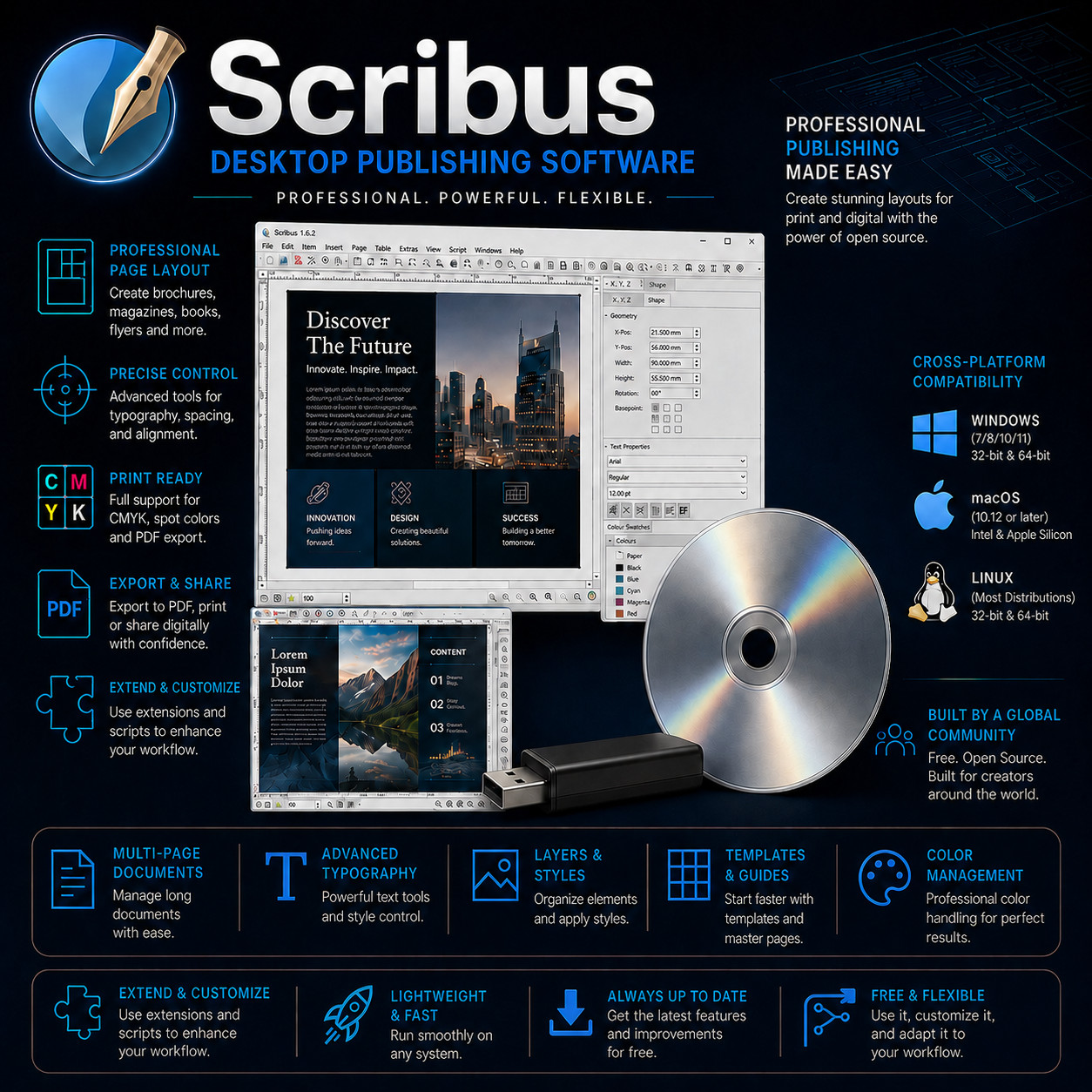
Desktop Publishing Software Scribus LAYOUT · TYPESET · PROOF · PRINT Professional page layout on your own desktop — from first draft to press-ready PDF. Full CMYK & Spot Colour Press-Ready PDF Export 32-Bit & 64-Bit Windows Windows · Mac · Linux Choose Your Media — Buyer's Choice Select USB flash drive for modern laptops with no optical drive, or CD-ROM for traditional desktops. Same software, same guide — your call at checkout.
Scribus is a capable page layout application designed for producing brochures, magazines, books, newsletters, flyers, posters and reports that are ready to hand to a commercial printer. Place your text and pictures on the page exactly where you want them, control typography down to the individual letter pair, work in the CMYK and spot colours your print shop expects, and export a verified PDF that presses can accept without a phone call. Everything runs on your own computer, on your own files, with no recurring fee attached.
Why This Edition Stands Out 📀 Choose your media at checkout USB flash drive or CD-ROM — same software, same guide. Pick the format your computer prefers. 🖥️ Windows, macOS & Linux together Native installers for all three desktop platforms ship on the same media. Install on the machine you have — and on the next one too. 🗜️ 32-bit Windows still supported Both 32-bit and 64-bit Windows installers are included — so an older office desktop or a long-serving laptop can run the same layout software as a new machine. 🏷️ One-time purchase Pay once. Install as many times as you like, on as many computers as you like. No recurring fee, no activation server to check in with. 📚 Step-by-step PDF setup guide A screenshot-driven "Read Me First" guide ships on the media — install, first document, master pages, and a walk through exporting a print-ready PDF. 🚀 Always the latest stable release The media is rebuilt as new stable versions ship — you receive the current stable build at order time, not a years-old archive. Everything inside the studio 📐 Professional page layout Build multi-page documents on a proper frame-based canvas. Set up columns, margins, bleed and guides once, then place text and picture frames exactly where you want them. Link text frames so a story flows from page three to page eleven on its own, and let the page numbering keep itself in order as the document grows. 🔤 Typography with real control Adjust tracking, kerning, word and line spacing, and hang text on a baseline grid so facing pages line up. Use OpenType features such as ligatures, small caps, and old-style figures where a font provides them. Flow text along a curve, wrap it around an irregular image, or drop it into a shape. Paragraph and character styles keep a long document consistent from cover to colophon. 🎨 Colour built for print, not just screen Work directly in CMYK, define spot colours for a second-colour job or a brand ink, and apply ICC colour profiles so what you see on screen relates sensibly to what comes off the press. Preview the separations plate by plate before you commit, check ink coverage, and simulate common forms of colour blindness to sanity-check a design's readability. Industry-standard colour palettes are included. 🖨️ Press-ready PDF export Export to the PDF/X print-exchange standards commercial printers ask for, with bleed, crop and registration marks, colour profile embedding, and font embedding handled for you. The built-in preflight verifier checks the document before export and reports missing images, absent fonts, and colour-space problems while there is still time to fix them. PDF export has long been treated as a first-priority feature by the project's developers. ✏️ Vector drawing and image handling Draw with bezier curves, freehand lines and editable shapes without leaving the layout. Combine paths, convert objects to outlines, and apply gradients, transparency and blend modes. Place photographs into image frames with independent scaling, cropping and clipping paths, and keep the whole arrangement editable while a deadline moves under you. 🔄 Bring your material in — send it back out A broad set of import filters helps you pull in artwork, photographs and text from a wide range of standard file types, including common raster images, vector artwork and word-processed copy. Export finished pages as PDF, vector graphics, or image files for the web. The document format itself is XML-based and documented, so a damaged file can often be rescued with nothing more exotic than a text editor. Plus more inside 📑 Master pages & templates Set your running heads, folios and furniture once on a master page and have every page that uses it follow suit. Save a finished design as a template and start the next issue from it. 🗂️ Layers, styles & guides Keep artwork, copy and print marks on separate layers you can lock or hide. Object, paragraph and character styles push a change through the whole document in one edit. 📝 Interactive PDF forms Lay out a form with fillable fields, checkboxes, buttons and drop-downs, and add JavaScript to a field where you want calculation or validation behaviour in the finished PDF. 🔍 Preflight verifier A pre-export check that flags missing linked images, fonts that aren't available, objects outside the printable area, and colour-space issues — before the file reaches the printer. 🐍 Python scripting engine Automate the repetitive parts — build a hundred name badges from a list, place a batch of images, or renumber a catalogue — using the built-in Python scripting interface. 🌏 Unicode & world writing systems Extensive support for the writing systems and scripts covered by the Unicode standard — including right-to-left and complex scripts — so multilingual documents stay typeset properly. 🧮 Render frames for formulas & scores Typeset mathematical notation and musical scores inside the layout through render frames, which pass your markup to a typesetting engine and place the result on the page. 📖 Books, catalogues & long documents Tables, footnote-style marginal notes, table of contents generation, section-based page numbering and cross-document consistency tools carry a long publication end to end. 🌐 Multi-language interface The application has been translated into a long list of interface languages — pick yours during setup and work in it from the first document onward. 💾 Works entirely offline Once installed, no internet connection is needed. Your documents, fonts and images stay on your own disk, and nothing about your work is uploaded anywhere. Who it's for 🏪 Small businesses Menus, price lists, product sheets, leaflets and shop signage — designed in-house, exported as a print-ready PDF, sent straight to the printer. 🖨️ Designers & print buyers Ideal for anyone who needs real CMYK, spot colour, bleed and preflight rather than a word processor's idea of a page. 🎓 Schools, clubs & charities Newsletters, programmes, yearbooks and fundraising flyers produced by volunteers on whatever computers the organisation already owns. 📚 Self-publishers & zine makers Lay out a novel, a poetry collection, a photo book or a zine, and hand the printer a file that meets their specification the first time. What you receive in the mail
1 × USB flash drive or CD-ROM (your choice at checkout) preloaded with native Scribus installers for: - Windows — both 32-bit and 64-bit installers (Windows 7, 8, 10 and 11)
- macOS — native Intel .dmg and native Apple Silicon .dmg
- Linux — packages for Debian, Ubuntu and other major distributions
- Step-by-step setup guide with screenshots — open the "Read Me First" PDF on the media
- Getting-started walkthrough — your first document, master pages, working in CMYK, and exporting a press-ready PDF
Compatibility Requirement Supported Windows Windows 7, 8, 10 and 11 — 32-bit and 64-bit installers both included macOS (Intel) macOS 12 Monterey or later — native Intel .dmg macOS (Apple Silicon) macOS 13 Ventura or later — native Apple Silicon .dmg (M1 / M2 / M3 / M4) Linux Most major distributions — packages for Debian, Ubuntu, Fedora, openSUSE, Gentoo and others CPU Any modern Intel or AMD processor; Apple Silicon supported natively Memory 2 GB RAM minimum. 4–8 GB recommended for long documents and high-resolution images. Display 1024 × 768 or higher. A larger screen is a real help when working with palettes docked alongside the page. Storage Roughly 1 GB of disk space for a full installation Drive USB port (USB option) or CD-ROM drive (CD option) How it works (3 steps) 1 Plug in your media Insert the USB or CD into any Windows, Mac or Linux machine. 2 Run the installer for your system Windows 32-bit or 64-bit, macOS Intel or Apple Silicon, or your Linux package — the step-by-step PDF walks you through it with screenshots. 3 Lay out your first page Open Scribus, start a new document at your page size, draw a text frame and a picture frame — and you're laying out. The guide takes you through to a finished PDF. Owned, not rented No monthly subscription. No account sign-in required to use the software. No internet connection needed once installed. Your layouts live as files on your own computer in a documented, XML-based format you can move, back up, archive and reopen years from now — your documents stay yours, and stay readable. Frequently asked questions 💿 USB or CD — which should I pick? If your computer has no optical drive (most laptops since 2018), pick the USB. If you have a desktop with a CD/DVD drive, either works — the contents are identical. 🖨️ Will my print shop accept the PDFs it produces? That's what it's designed for. Export to the PDF/X print-exchange standards with bleed, crop marks, embedded fonts and embedded colour profiles, and run the built-in preflight check first so problems surface before the file leaves your desk. Ask your printer which PDF/X flavour and colour profile they want and set them in the export dialog. 🎨 Does it handle proper CMYK and spot colours? Yes — CMYK is a first-class colour space here, not an afterthought. Define spot colours for brand inks or a two-colour job, apply ICC profiles, preview the separations plate by plate, and check ink coverage before you export. 📎 Can I bring in text and artwork I already have? Yes. A broad set of import filters helps you place a wide range of standard raster images, vector artwork and word-processed copy into your layout. Drop a photograph into an image frame, import your logo as vector artwork so it stays sharp at any size, and pour existing copy into a linked text frame. 🔠 Can I use my own fonts? Yes — the fonts installed on your system are available, and you can point the application at extra font folders too. OpenType features such as ligatures and small caps are supported where the font provides them, and fonts are embedded into the exported PDF so the printer sees what you saw. 🖥️ Will it run on an older 32-bit Windows PC? Yes. Both 32-bit and 64-bit Windows installers ship on the media, covering Windows 7, 8, 10 and 11 — useful if there's an older office machine or laptop you'd rather keep working than replace. 💻 Can I install it on more than one computer? Yes — install on as many computers as you like. Unlimited installs. 🔑 Does it need a product key, activation, or account? No. There is no product key, no activation, and no registration of any kind. 🔁 Do future updates cost anything? No. The project releases updates at no cost — you can keep using and updating the software indefinitely. 📦 We ship as soon as paid Design the page. Hit the press. Everything you need between a blank page and a printer's PDF. Have a question? Please do not hesitate to message us before purchasing.