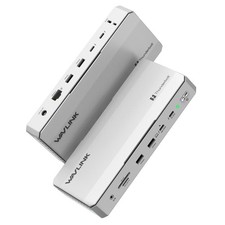
WAVLINK Intel Certified Thunderbolt 5 Dock, 12-in-1 Hub with up to 120Gbps, MAX 140W PD, Single or Dual 6K/8K Display,
3x TB 5 Downstream USB-C 80Gbps, 4x USB-A 3.2 10Gbps, for Mac & Windows Thunderbolt 5/4, USB4 & USB-C LaptopsFeatures
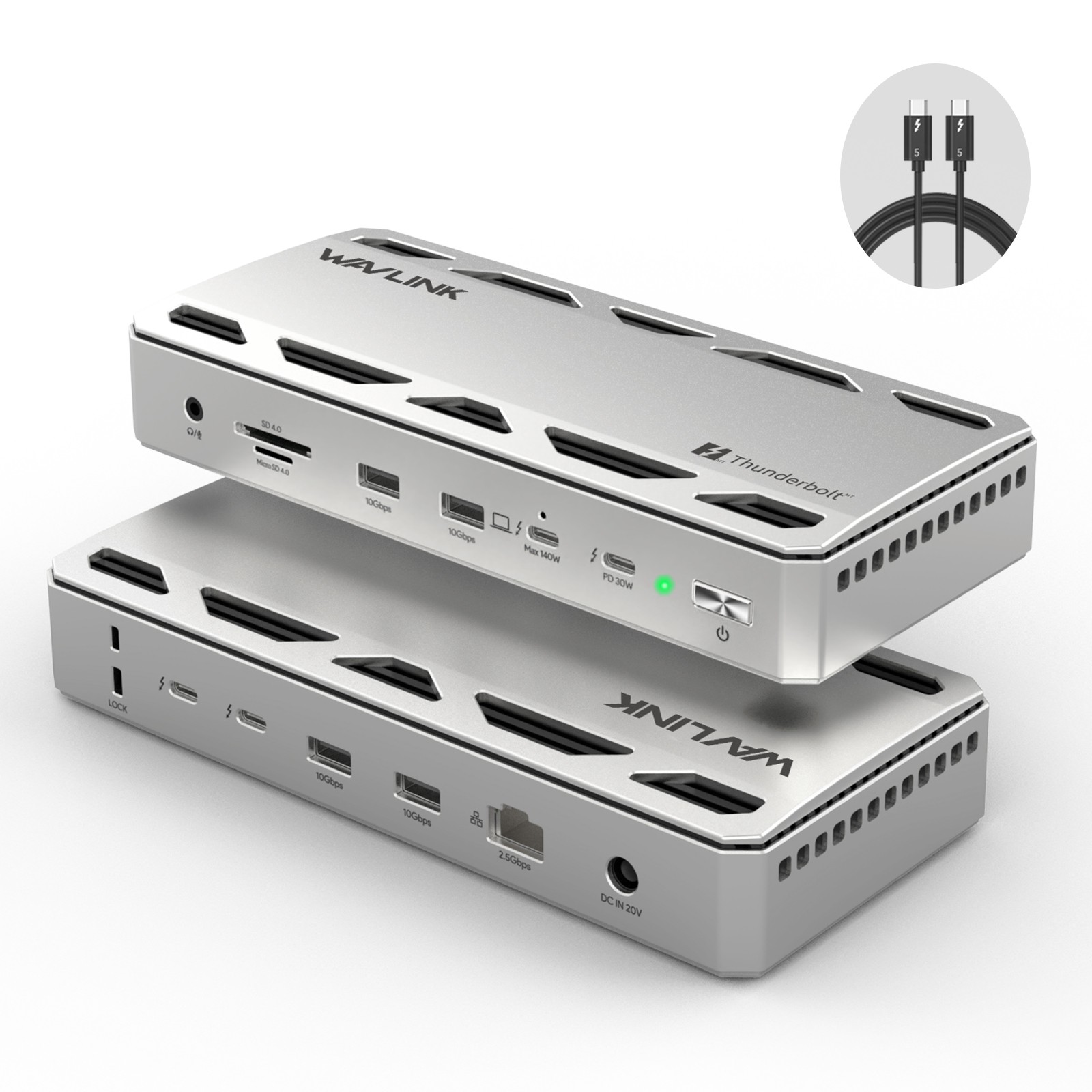
- 1* Thunderbolt™5 UFP provides 80Gbps data, 120Gbps bandwidth video transfer, 140W instant charging for the USB-C laptop.
- 3* Thunderbolt™5 DFP provide 80Gbps data, dual 8K@60Hz or triple 4K@144Hz display at 120Gbps bandwidth, one of them supports 30W
instant charging for the downstream devices.
- 4* USB-A transfer speed up to 10Gbps, and compatible with USB 3.0/2.0.
- 1* RJ45 Ethernet provides efficient transfer, low-latency game experience, stable wired network.
- 1* UHS-Ⅱ SD/Micro SD card reader transfers high-definition video and vivid images at 312MB/s, and compatible with UHS-Ⅰdevices.
- 1* Combo 3.5mm mic/headphone jack for clear audio in and out.
How to Confirm if the Type-C Port of Your Laptop Supports Vido Output and Charging?
Step 1: Please check the model of your laptop, it should be on the back of the label;
Step 2: Search “brand + the model number of the device + manual” in Google, for example: “asus ux435 manual”;
Step 3: Check the manual and navigate to the view and check the type-c specification, if it states it supports power delivery
which means it supports charging. If it states the type-c port supports display which means it could support video output.
If the specification states bandwidth the type-c port supports only, which means the type-c port might not support video output and charging.
You could also contact the manufacturer to confirm that.
Multiple Display Resolution (Max. Resolution)
Notice: Please make sure the type-C port of your host supports video output.
Multiple Display Resolution (Max. Resolution)
Notice: Please make sure the type-C port of your host supports video output.
Windows 11 or higher:
Single Display:
Via Thunderbolt 5: Up to 8K@144Hz
Via Thunderbolt 4/USB 4: Up to 8K@60Hz
Via USB-C Alt Mode: Up to 4K@60Hz
Via Thunderbolt 3: Not supported.
Dual Display:
Via Thunderbolt 5: Up to 8K@60Hz
Via Thunderbolt 4/USB 4: Up to 6K@60Hz
Via Thunderbolt 3: Not supported.
Via USB-C Alt Mode: Not supported.
Triple Display:
Via Thunderbolt 5: Up to 4K@144Hz
Via Thunderbolt 4/USB 4: Not supported.
Via Thunderbolt 3: Not supported.
Via USB-C Alt Mode: Not supported.
macOS (14.6 or later):
Single Display:
M4 Base/Pro/Max: Up to 8K@60Hz
M1/M2/M3 Pro and Max: Up to 6K@60Hz
M1/M2 Base: Up to 4K@60Hz
M3 Base: Up to 6K@60Hz
Dual Display:
M4 Base/Pro/Max: Up to 6K@60Hz
M1/M2/M3 Pro and Max: Up to 6K@60Hz
M1/M2/M3 Base: Not supported.
Triple Display:
All M-series chip Macs (including M4): Not WL-UTD58-A
2.Ports: Front: 1×Combo Audio Jack; SD/Micro SD Card Reader(UHS-Ⅱ, SD 4.0); 2×USB-A(10Gbps); 1×TBT 5 UFP
(Host, Max. 140W Charging, Video); 1×TBT 5 DFP (80Gbps, Video, PD 30W);
Rear: 2×TBT 5 DFP (80Gbps, Video, Charging); 2×USB-A (10Gbps); 1×RJ45 Ethernet; 1×DC IN (20V).
3.Unit Size: LxW×H to C/ HDMI Cable Length: 100cm/39.4in
5.Unit Weight: 610g/21.4oz
6.Material: Aluminum alloy
In the Box
- 1 x Thunderbolt™5 Multifunctional Docking Station
- 1 x 1m USB-C to USB-C Thunderbolt™5 Cable(80/120Gbps)
- 1 x 20V Power Adapter
- 1 x Screwdriver
- 1 x Quick Start Guide
Warm Tips:
1.Please ensure your laptop's USB-C port supports video output (DisplayPort Alt Mode) and
charging (Power Delivery) to fully utilize all features of this hub.
2.Triple External Displays: Support for three external displays is potentially available only when connected to a laptop
featuring a Thunderbolt 5 port and running Windows 11 or later. Actual support depends on the specific laptop's specifications.
3.macOS System Limitation: macOS systems do not support triple external displays through this dock. The number and
resolution/refresh rate of supported external displays depend on the specific Mac chip model (M1/M2/M3/M4 Base/Pro/Max).
Please refer to the compatibility list for details.
4.High Resolution/High Refresh Rates: Achieving 6K/8K resolutions and refresh rates above 60Hz typically requires both
your laptop (GPU) and external monitor(s) to support DSC (Display Stream Compression).
5.Accessories: USB-C to HDMI/DP cables and the security lock are not included and must be purchased separately.
Instructions about the monitor(s): 1.Dual 5K monitors must be Thunderbolt 4 or Apple Studio Displays. Dual LG UltraFine 5K monitors are not supported.
6K monitors can be a Thunderbolt 4 monitor or an Apple Pro Display XDR. DSC (Display Stream Compression)
support is required for 6K and 8K resolutions.
2.Higher refresh-rates (above 60Hz) may require DSC (Display Stream Compression) support on the monitors and host GPU.
The bit/color depth may vary in order to support higher refresh-rates.
3.Some M3 MacBooks such as the MacBook Air can support dual external monitors up to 5K and 6K when
the laptop lid is closed (clamshell mode).
4. Currently M1/2/3/4 Macs can only support up to HDMI 2.0b over its Thunderbolt ports. As such, resolutions will be
limited to 4K 60Hz when using an HDMI adapter. If a higher refresh-rate is required, please use a USB-C to USB-C or
USB-C to DisplayPort or DisplayPort to DisplayPort connection. For more information about a Mac’s external display
support please Apple's or CalDigit's support webpages.
5. Results may vary due to OS updates. For external display compatibility over a single Thunderbolt connection on
different Windows computers, please refer to the manufacturer’s website.