 When you click on links to various merchants on this site and make a purchase, this can result in this site earning a commission. Affiliate programs and affiliations include, but are not limited to, the eBay Partner Network. When you click on links to various merchants on this site and make a purchase, this can result in this site earning a commission. Affiliate programs and affiliations include, but are not limited to, the eBay Partner Network.
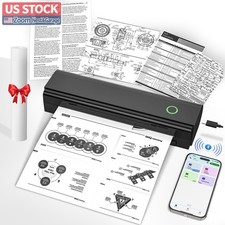
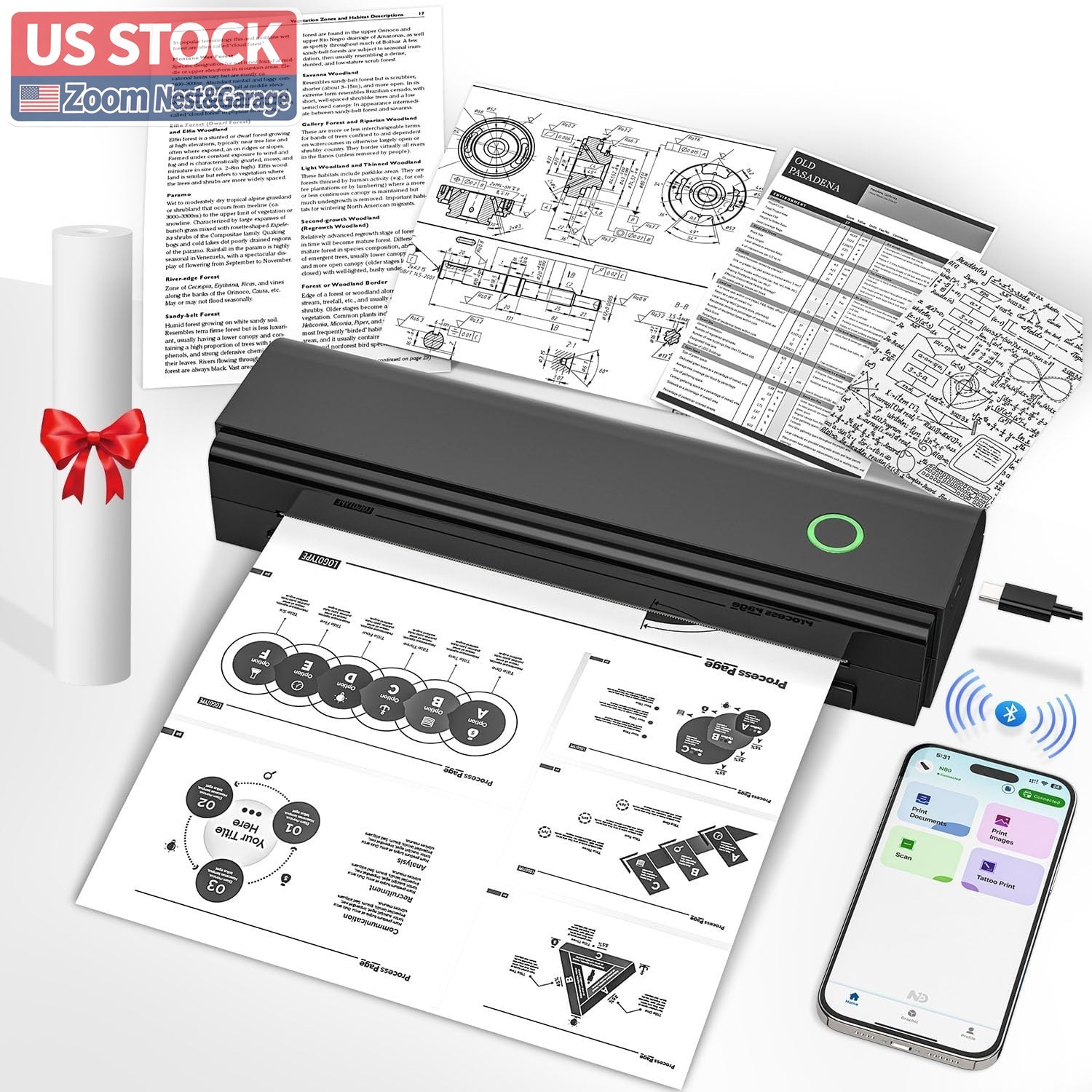
About this item - Portable Printer: With a compact design, the portable thermal printer allows you to fit into backpacks or briefcases easily. This small wireless printer features 2600mAh battery for 2 hours of continuous printing (180 sheets per charge), enabling on-the-go printing of contracts, documents and other thermal tasks
- Inkless Printer: This inkless portable printer uses thermal technology for crisp prints without ink, toner, or ribbons. Eco-friendly and cost-efficient—no clogs or cleaning! (Note: our Portable printer is a thermal printer and Only supports black and white printing and thermal paper, Not supports regular copy paper)
- Wireless Bluetooth Printer: This wireless inkless portable printer can Connect seamlessly via Bluetooth to iPhone Android Phone iPad Tablet or via USB-C Cable to laptop or computer, supporting Android 9.0+/iOS 16+ and above, Windows 7 32-bit, Windows 7 64-bit, Windows 8 64-bit, Windows 10 32-bit, Windows 10 64-bit, Windows 11, Windows ARM, macOS 10.14 and above, Linux, making it accessible to a wide range of users. Note: Computers need to download the driver and print via USB , not for Bluetooth connection
- Versatile Paper Support: our N80 travel printer supports two paper sizes (US Letter/A4) and three types (roll/folded/single sheet) thermal paper, meeting to diverse needs like note-taking, exams, documents and DIY projects
- Perfect Gift : the mobile portable printer can Print PDFs, Word files, images, and web from phones. It is perfect for people who work outside, like mobile notaries, truck drivers, business travelers, office workers, teachers and students. An ideal gift and surprise for your families and friends
- How to Print on Phones: 1. Long press the power button to turn on 2. Download NADA PRINT from your app store 3. Enable Bluetooth on your phone and Connect the printer in the NADA App 4. Select N80 Portabel Printer and select the file to start printing
- How to Print on Laptop or Computer: 1. Download and Install the driver for your computer system according to the user manual. 2. Turn on the printer and connect the printer to your laptop or Computer with USB-C Cable. 4. Select N80 Printer and select the file to start printing
Customer Services|Customer satisfaction is a top priority for us, and our response rating directly reflects this satisfaction.If you have any questions or concerns, please contact us via message. We respond to all messages as quickly as possible. While most questions can be answered in a short time, please allow us up to one business day for a response before opening a case. thinking your message is neglected or the reply is avoided, because there would be time difference, non-working hours or public holidays that have prevented us from making an instant response. For any Exchange, Refund or Return, the item must be in its original condition, including the box, packaging, and all the accessories or gifts. ✱✱✱✱✱ response|We will leave positive response once we get your payment. Please contact us first before you left us a negative/neutral response and we are pleased to solve the problems you met. If you are satisfied with the product you received, please leave us positive response and 5 scores DSR. On Sep 18, 2026 at 08:38:59 PDT, seller added the following information:  |
|